


Top Laptops for Studying in 2026
December 12, 2025
Choosing a laptop for studying in 2026 has become a little more difficult than before. There are many models, prices jump around, and everyone has their own requirements. Some people care about battery life, others want silent fans, and some just want Zoom not to freeze during the most important class. In the end, most students are looking for something simple: turn it on in the morning, have it work all day, and not cause any surprises during exams.
In this article we’ll calmly and in a human way figure out which laptops are actually suitable for studying — without unnecessary hype and without chasing loud specifications.
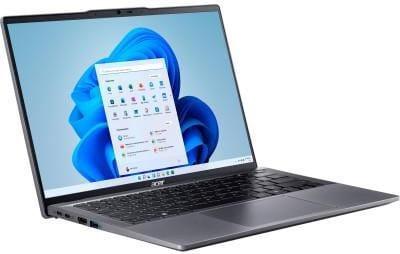
1. Acer Swift Go 14 OLED SFG14-63-R88C
This Acer Swift Go 14 looks like a simple work tool that doesn’t overload you with unnecessary details. It’s lightweight and boots up very quickly — perfect when you need to open documents or join a lecture immediately. The OLED screen gives a crisp picture, so your eyes get tired much less. It runs quietly and doesn’t distract. Ideal for studies where stability and comfort are important.
Key features:
Thin body and low weight
Bright OLED display
Silent operation
Fast application startup
Convenient size for a backpack
Specifications:
Processor: AMD Ryzen 5 8645HS
Graphics card: AMD Radeon 760M
RAM: 16 GB LPDDR5x, 6400 MHz
Storage: 512 GB SSD
Display: 14", OLED, 2880×1800
Why it suits students:
Doesn’t strain the eyes when reading
Easy to carry every day
Enough power for all educational programs
Convenient for online classes
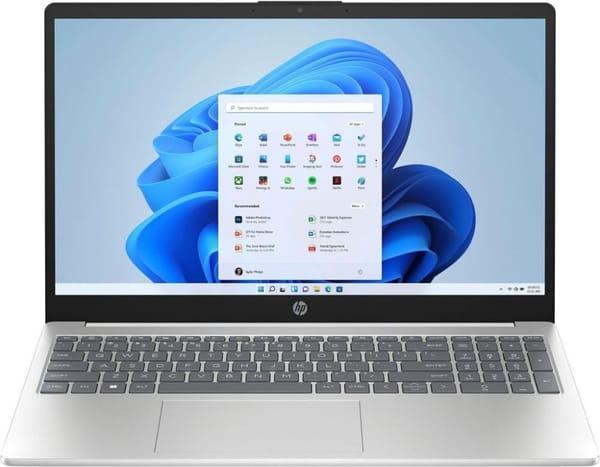
2. HP 15-fc0158ua
The HP 15-fc0158ua has a calm style and feels like a straightforward work tool. The screen is large enough to comfortably view materials and read texts. The keyboard is comfortable, which helps when typing long assignments. The model is perfect for those who need a reliable option without complicated setup.
Key features:
Large screen
Calm design
Comfortable keyboard
Quiet operation
Basic performance
Specifications:
Processor: AMD Ryzen 7 7730U
Graphics card: AMD Radeon Vega 8
RAM: 16 GB DDR4, 3200 MHz
Storage: 1000 GB SSD
Display: 15.6", IPS, 1920×1080
Why it suits students:
Comfortable for reading materials
Suitable for online lectures
Easy to work with documents
Doesn’t require long setup
![Apple MacBook Air M2 13” 256GB Silver (MLXY3) 2022 [OPEN BOX] photo 2](/_next/image?url=https%3A%2F%2Fimg.justbuy.work%2Fcdn-cgi%2Fimage%2Fwidth%3D600%2Cquality%3D80%2Cformat%3Dwebp%2Fproducts%2F60b47053-b2f3-4e7e-af28-35e07f5848cd%2Fpreview%2F3302465875.jpg&w=3840&q=75)
3. Apple MacBook Air M2 13"
The MacBook Air M2 looks like a compact study tool. It’s thin, light and completely silent. The screen is bright — great for reading text or viewing graphics. The system boots up instantly and never lags. Perfect for those who often work in different places and want a device that never distracts.
Key features:
Lightweight body
Completely silent operation
Bright display
Fast response
Durable aluminum
Specifications:
Processor: Apple M2
Graphics card: Apple 8-core GPU
RAM: 8 GB LPDDR5
Storage: 256 GB SSD
Display: 13.6", IPS Liquid Retina, 2560×1664
Why it suits students:
Easy to carry in a backpack
Great for notes and apps
Sharp text on the screen
Long battery life
4. Lenovo Yoga Slim 6 14IAP8
This Lenovo Yoga Slim 6 looks neat and without unnecessary elements. It’s light, fits in any bag and doesn’t take much space on the desk. The screen is bright with a pleasant picture. The body is sturdy, so you can safely carry it every day. Perfect for studying and everyday work.
Key features:
Durable body
Bright screen
Low weight
Quiet operation
Fast response
Specifications:
Processor: Intel Core i7-1260P
Graphics card: Intel Iris Xe Graphics G7 96EUs
RAM: 16 GB LPDDR5
Storage: 512 GB SSD
Display: 14", OLED, 1920×1200
Why it suits students:
Convenient to work anywhere
Image stays crisp
Good for notes and lectures
Easy to carry
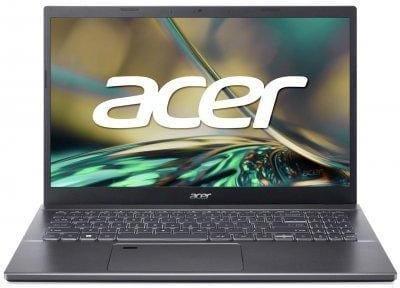
5. Acer Aspire 5 A515-57-59NG
This Acer Aspire 5 is made simply and without extra details. The screen is large — comfortable for working with texts and tables. The keyboard is comfortable for long typing sessions. The model is perfect for those who need an inexpensive laptop for study tasks and everyday work.
Key features:
Large screen
Comfortable keyboard
Restrained design
Stable performance
Plenty of ports
Specifications:
Processor: Intel Core i5-12450H
Graphics card: Intel UHD Graphics 48EU
RAM: 32 GB DDR4
Storage: 512 GB SSD
Display: 15.6", IPS, 1920×1080
Why it suits students:
Convenient for documents
Good for online lessons
Simple to use
Handles everyday tasks well
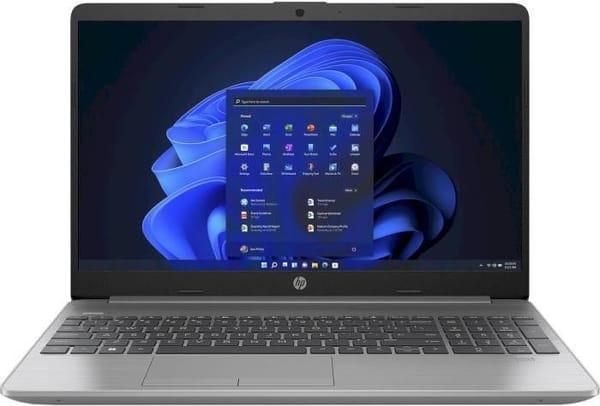
6. HP 255 G9
The HP 255 G9 looks calm and practical. It’s suitable for everyday studying and simple tasks. The screen brightness is average, but enough for lectures and reading. The keyboard is comfortable, the body is light. A great option for those who need a simple laptop without complications.
Key features:
Light body
Simple design
Comfortable keyboard
Sufficient performance
Quiet operation
Specifications:
Processor: AMD Ryzen 5 5625U
Graphics card: integrated AMD Radeon Vega 7
RAM: 8 GB DDR4
Storage: 512 GB SSD
Display: IPS, 15.6", 1920×1080, 60 Hz, anti-glare
Why it suits students:
Convenient for taking notes
Suitable for video calls
Handles browser and documents well
Doesn’t require complicated setup
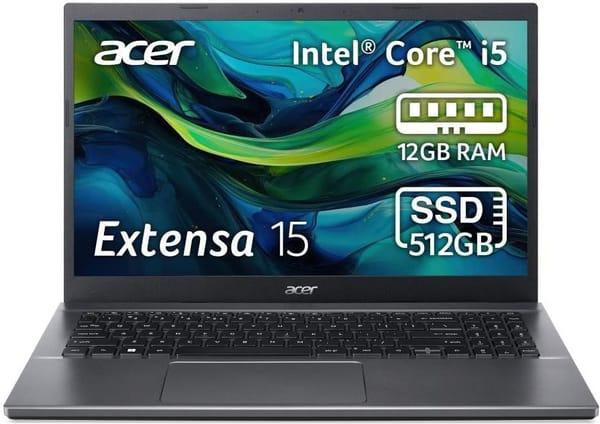
7. Acer Extensa 15 EX215-55 (NX.EGYEU.02P)
This laptop looks practical. The Acer Extensa 15 doesn’t try to impress, but it does its job smoothly and without unnecessary problems. The screen is large — comfortable for reading materials and watching lectures. The keyboard is soft, so you can type notes and assignments for a long time without discomfort. The body is light, easy to carry. The model is perfect for those who need a simple everyday work tool for studying.
Key features:
Large screen with matte finish
Calm design
Comfortable keyboard
Quiet operation
Sufficient performance for study tasks
Specifications:
Processor: Intel Core i5-1235U
Graphics card: integrated Intel Iris Xe Graphics
RAM: 12 GB DDR4
Storage: 512 GB SSD
Display: IPS, 15.6", 1920×1080
Why it suits students:
Comfortable for reading lectures and articles
Great for video conferences
Easily handles documents and browser
Simple to use and doesn’t distract with extra features
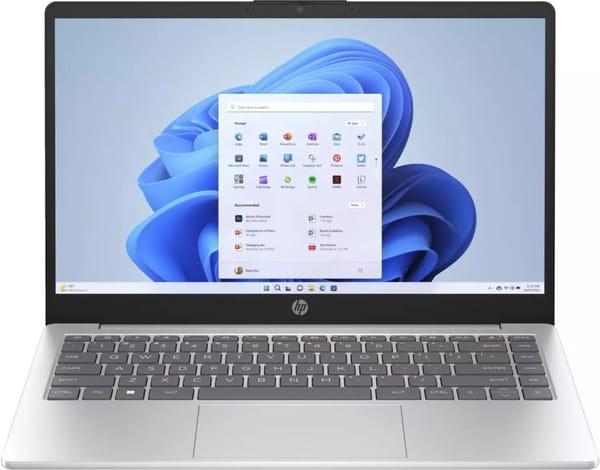
8. HP 14-ep0022ua (91L01EA)
The HP 14-ep0022ua looks neat and compact. It doesn’t take much space and easily fits into a backpack. It starts quickly, without long loading times. The screen is bright, text is easy to read. The plastic body is still well-assembled. This laptop is perfect for students who need a mobile tool for studying, notes, online lectures and everyday tasks.
Key features:
Light and compact body
Bright screen
Fast system response
Quiet operation
Modern Bluetooth 5.3
Specifications:
Processor: Intel Core i5-1335U
Graphics card: Intel Iris Xe Graphics G7
RAM: 16 GB DDR4
Storage: 512 GB SSD
Display: IPS, 14", 1920×1080
Why it suits students:
Easy to carry all day
Convenient for online meetings and classes
Good for notes and small projects
Works fast and doesn’t interfere with studying
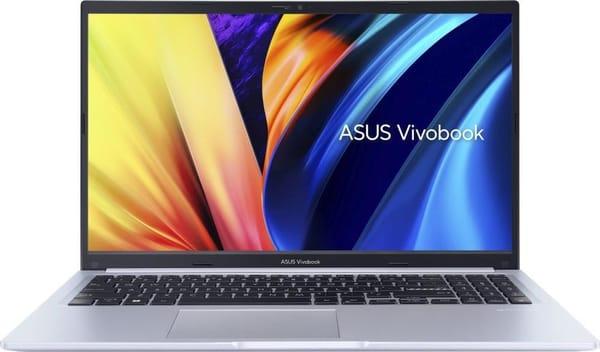
9. ASUS VivoBook 15 X1502VA (X1502VA-BQ141)
This VivoBook looks modern but without excessive flashiness. The screen is large with nice anti-glare coating, so you can work comfortably even in a bright room. The body is thin, fits easily into a backpack. It runs fast, without noticeable delays. Not the most powerful in the ASUS line, but more than enough for studying and daily tasks.
Key features:
Large screen with anti-glare coating
Thin and neat body
Fast processor
Comfortable keyboard
Modern Bluetooth 5.3
Specifications:
Processor: Intel Core i7-13700H
Graphics card: Intel Iris Xe Graphics
RAM: 16 GB DDR4
Storage: 1000 GB SSD
Display: IPS, 15.6", 1920×1080
Why it suits students:
Comfortable for reading materials and watching lessons
Suitable for educational apps and browser
No glare under lamps
Easy to carry every day
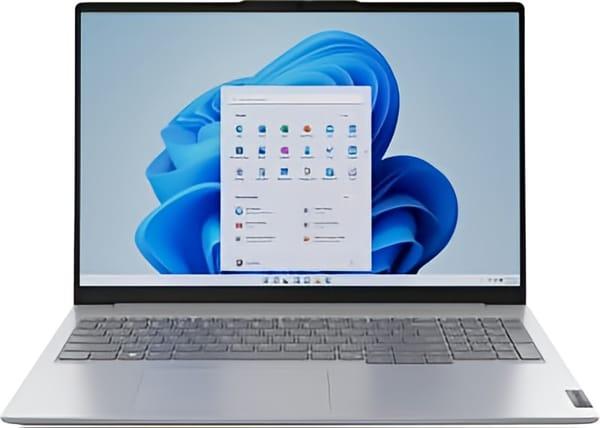
10. Lenovo ThinkBook 16 G6 ABP Arctic Gray (21KK008PRA)
The Lenovo ThinkBook 16 looks solid and calm. The body is strict, without unnecessary details, yet very convenient to use. The large screen makes text easy to read, and the anti-glare coating helps not to strain your eyes. It works confidently, doesn’t slow down on basic tasks and easily handles multitasking. Perfect for those who want a laptop both for studying and work without fuss and with good performance.
Key features:
Large 16-inch screen
Anti-glare coating and Low Blue Light
Fast AMD processor
Backlit comfortable keyboard
Large set of ports
Specifications:
Processor: AMD Ryzen 5 7430U
Graphics card: AMD Radeon Graphics
RAM: 16 GB DDR4
Storage: 512 GB SSD
Display: IPS, 16", 1920×1200
Why it suits students:
Convenient for documents and spreadsheets
Suitable for online lectures and video calls
Good for multitasking and educational apps
Comfortable reading thanks to the large screen
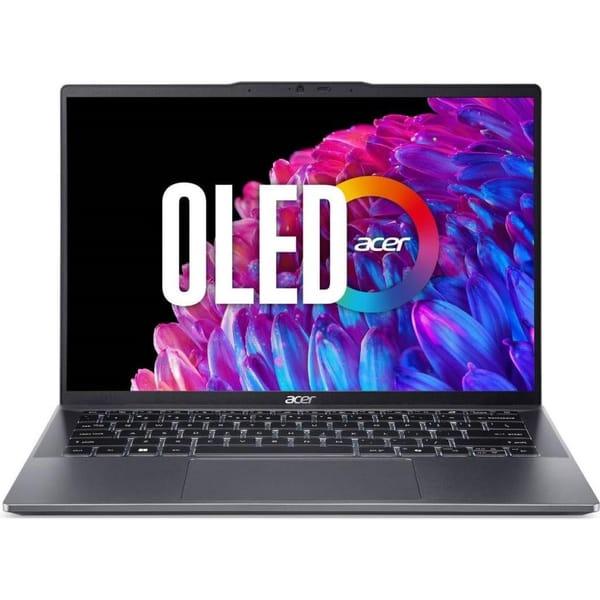
11. Acer Swift Go 14 OLED SFG14-63-R1CX (NX.KYLEU.005)
This Swift Go looks modern and light — perfect for carrying every day. The OLED screen immediately catches the eye — bright, crisp, with a pleasant picture. It boots up instantly. The body is thin and neat, doesn’t take much space. Perfect for those who need a high-quality display and good speed in a compact package.
Key features:
OLED screen with vivid colors
Thin and light body
Fast processor
Quiet operation
Low blue light emission (Eyesafe)
Specifications:
Processor: AMD Ryzen 7 8845HS
Graphics card: AMD Radeon 780M
RAM: 32 GB LPDDR5x
Storage: 1000 GB SSD
Display: OLED, 14", 2880×1800
Why it suits students:
Comfortable for watching lectures and presentations
Screen doesn’t strain eyes during long work
Easy to carry to classes
Quickly launches educational apps
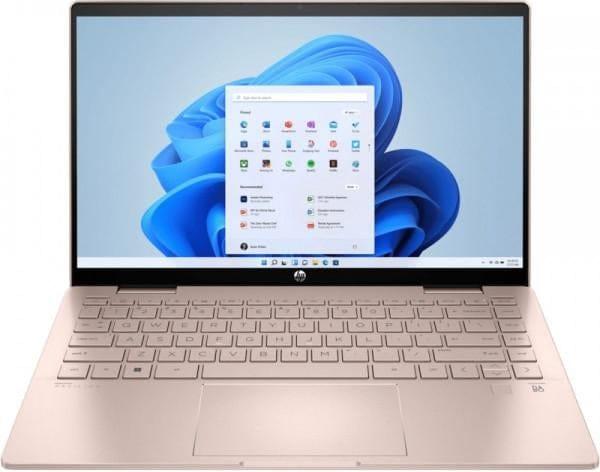
12. HP Pavilion x360 14-ek2014ua Gold Pink (A0NB7EA)
This HP Pavilion x360 immediately stands out with its 2-in-1 format. You can use it as a regular laptop or fold it into tablet mode. The body color is unusual but looks neat. The screen is bright and touch-sensitive, responds instantly. It’s quiet and comfortable to type. Perfect for those who like hybrid devices and want more freedom in the learning process.
Key features:
Touch screen
2-in-1 convertible body
300 nits brightness
Light aluminum body
Modern Bluetooth 5.3
Specifications:
Processor: Intel Core 5 120U
Graphics card: Intel Graphics
RAM: 16 GB DDR4
Storage: 512 GB SSD
Display: IPS, 14", 1920×1080
Why it suits students:
Can be used as a tablet for handwriting notes
Convenient for reading and flipping through materials
Great for presentations and creativity
Comfortable for long use
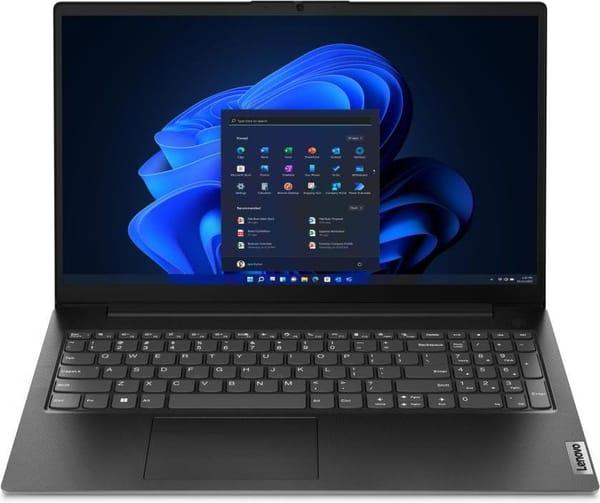
13. Lenovo V15 G4 AMN Business Black (82YU00YARA)
The V15 G4 looks strict and calm, without any design tricks. It’s large, stable on the desk and remains comfortable even after many hours of work. The screen is matte — eyes get less tired under lamps or near a window. Performance is enough for educational programs, browser and many tabs. A great option for those who prefer simplicity and reliability.
Key features:
Large screen with anti-glare coating
Full-size keyboard with numpad
Strict plastic body
Decent battery life
Convenient set of ports including Ethernet
Specifications:
Processor: AMD Ryzen 5 7520U
Graphics card: AMD Radeon 610M
RAM: 16 GB LPDDR5
Storage: 512 GB SSD
Display: IPS, 15.6", 1920×1080
Why it suits students:
Comfortable for reading lectures and writing papers
No glare in bright light
Handles basic multitasking
Great for distance learning
![Apple MacBook Air 13'' 256GB Silver M1 2020 (MGN93) [OPEN BOX] photo 1](/_next/image?url=https%3A%2F%2Fimg.justbuy.work%2Fcdn-cgi%2Fimage%2Fwidth%3D600%2Cquality%3D80%2Cformat%3Dwebp%2Fproducts%2F30a39154-66c3-43e8-b335-c09514376032%2Fpreview%2F3423124125.jpg&w=3840&q=75)
14. Apple MacBook Air 13 M1 2020 (MGN93)
The MacBook Air M1 looks as always minimalistic and neat. The body is thin, light and easy to carry. It works almost silently — perfect for libraries or lectures. The screen is crisp, colors are calm, eyes don’t get tired. Performance is enough for any study tasks. OPEN BOX means the laptop is in perfect condition but at a much friendlier price.
Key features:
Completely silent operation
Bright Retina display with True Tone
Light aluminum body
Stable performance even under load
Instant wake from sleep
Specifications:
Processor: Apple M1
Graphics card: 7-core GPU
RAM: 8 GB
Storage: 256 GB SSD
Display: IPS, 13.3", 2560×1600
Why it suits students:
No fan noise distraction
Easy to use even for beginners
Holds charge the whole school day
Perfect for notes, lectures and creativity
Conclusion
Choosing the best laptop for studying in 2026 turned out not to be that difficult when you look at real tasks instead of flashy names. Some need a lightweight model that can handle several lectures in a row. Others need a large screen and comfortable keyboard to write a term paper without eye pain. And some just want Zoom to open instantly and the battery not to die by lunch.
The main rule is simple: the laptop must fit exactly your study style. If you’re often on the go — choose thin and long-lasting models. If you work at home and love screen space — take something larger. Everything else is just details you can pick to your taste.
In any case, a good student laptop in 2026 isn’t the one with the loudest spec list, but the one that never lets you down on an ordinary day when you have to get everything done.