


TOP 15 inexpensive laptops for studying in 2026 under 30,000 UAH
December 11, 2025
Choosing a reliable laptop for studying is sometimes harder than buying a decent backpack. You want it to be lightweight, survive daily hauling around, and not freeze at the most crucial moment. Stores offer a huge selection, but in the end, it’s not about a “pretty case”, but about smoothly handling Google Docs, Zoom, and twenty Chrome tabs without suffering, holding a charge at least until the evening, and not costing half a scholarship. In 2026, budget models have genuinely gotten better, but that hasn’t made the choice any easier.
At JustBuy we have a wide range of laptops, but we’ve handpicked exactly 15 options up to 30,000 UAH that will survive real student life. We’re leaving gaming aside — these are purely study workhorses.
We’ll tell you how they behave in everyday student chaos, who they suit best, and where you shouldn’t overpay.
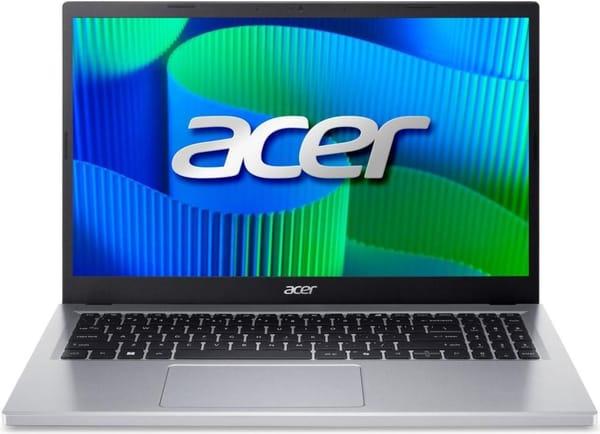
1. Acer Extensa 15
Acer Extensa 15 EX215-57 — a calm, large laptop for those who just want to open it and work without dancing around the system. Spreadsheets, Zoom, dozens of tabs, lectures running at the same time — it handles everything confidently and quietly. The battery easily lasts a typical study day, and in the evening it will calmly get you home.
Plus, the manufacturer allowed for future upgrades of RAM or SSD, so the model can easily serve several years without feeling outdated. Cooling is quiet even when it’s stuffy in the lecture hall.
Best for:
those who need a large screen for spreadsheets and lectures,
students of technical specialties,
anyone who wants a simply reliable laptop with no surprises.
Specifications:
Processor: Intel Core i5-13420H
Graphics: Intel UHD Graphics
RAM: 16 GB DDR5
Storage: 512 GB SSD
Display: IPS 1920×1080, 60 Hz
Battery: 53 Wh
Wireless: Wi-Fi 6, Bluetooth 5.1
Ports: USB-C, USB-A, HDMI, audio jack
Weight: 1.8 kg
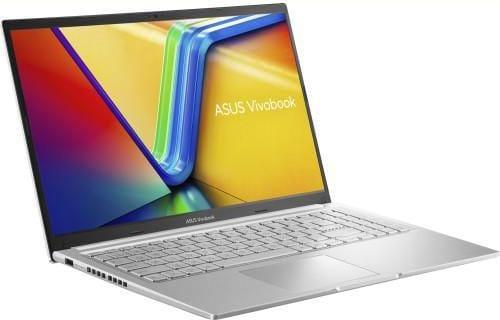
2. ASUS VivoBook 15
ASUS Vivobook 15 M1502YA — a great choice for those who type a lot. It has a comfortable keyboard with soft travel and backlight, so you can write term papers even at night. The powerful Ryzen 7 easily handles short video editing, music, tons of tabs, and the anti-glare display doesn’t annoy in bright places like a balcony or reading room.
Light body, thin bezels — the laptop looks noticeably nicer than many competitors in this segment. And 16 GB of RAM will be enough not only for the current semester, but for several years ahead.
Best for:
people who constantly type,
fans of large screens,
those who occasionally edit short videos.
Specifications:
Processor: AMD Ryzen 7 7730U
Graphics: AMD Radeon Graphics
RAM: 16 GB DDR4
Storage: 512 GB SSD
Display: IPS-level 1920×1080, 60 Hz, anti-glare coating
Battery: 42 Wh
Ports: USB-C, USB-A, HDMI, audio jack
Features: keyboard backlight, webcam shutter
Weight: 1.7 kg
Wireless: Wi-Fi 6, Bluetooth 5.3
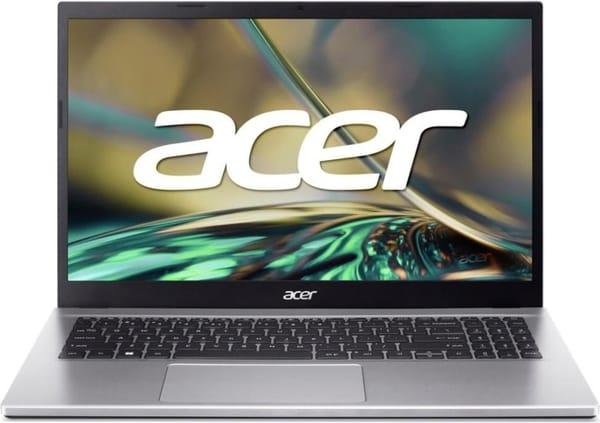
3. Acer Aspire 3
Acer Aspire 3 — a compact and lightweight laptop that actually fits in any backpack. For school tasks, first-year lectures, Word, YouTube and chats — its power is more than enough. The battery lasts all day even with mixed use: classes, breaks, watching recorded lectures.
Excellent first laptop for those who value lightness and reliable performance over future-proof power.
Best for:
school students and freshmen,
those looking for a solid option for minimal money,
students with limited space in a dorm room.
Specifications:
Processor: Intel Core i7-1255U
Graphics: Intel Iris Xe Graphics
RAM: 16 GB DDR4
Storage: 512 GB SSD
Display: IPS 1920×1080, 60 Hz
Battery: 48 Wh
Ports: USB-A, HDMI 2.1, audio jack, Ethernet
Weight: 1.8 kg
Wireless: Wi-Fi 6, Bluetooth 5.0
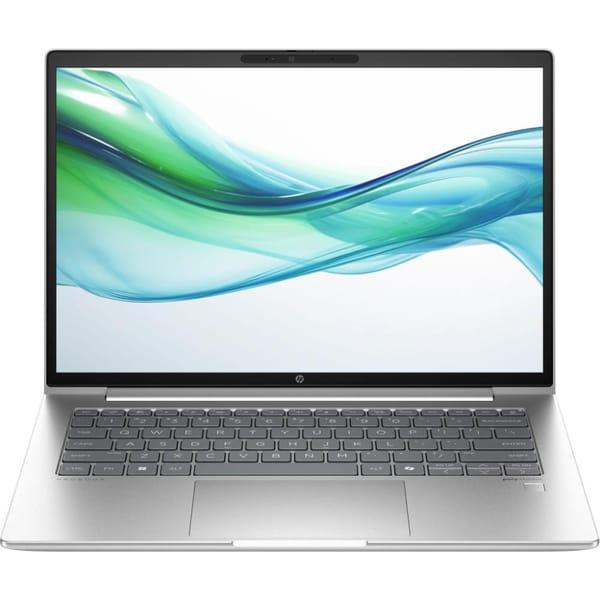
4. HP ProBook 445 G11
HP ProBook 445 G11 — the kind of laptop that really outlives its owner’s studies. Aluminum body, spill resistance, great battery life and the ability to upgrade RAM up to 48 GB (some configs even to 64 GB). So if you spill coffee or drop your backpack — no big deal. This laptop will survive the entire master’s degree marathon.
Ryzen 7 inside and huge upgrade potential mean it won’t become obsolete even when term papers turn into serious work projects.
Best for:
those who need a device for many years,
people who like sturdy build quality,
those who value reliability over looks.
Specifications:
Processor: AMD Ryzen 3 7335U
Graphics: AMD Radeon Graphics
RAM: 16 GB DDR5
Storage: 512 GB SSD
Display: IPS 1920×1200, 60 Hz, anti-glare
Battery: 56 Wh
Ports: USB-C (with Power Delivery & DisplayPort), USB-A, HDMI 2.1, Ethernet, audio jack
Weight: 1.39 kg
Features: MIL-STD 810H durability, keyboard backlight, fingerprint reader
5. Lenovo ThinkPad L14 Gen 3
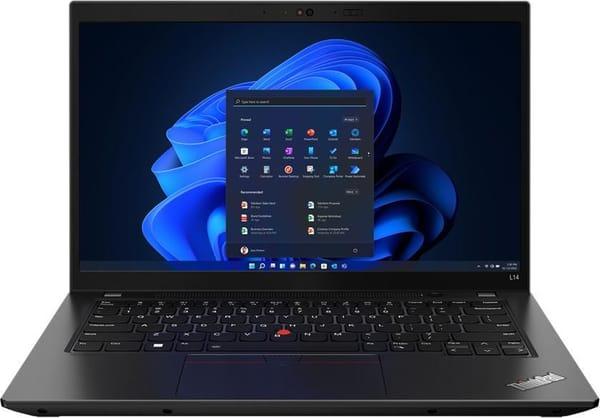
Lenovo ThinkPad L14 Gen 3 — a laptop for those who type a lot every day. The keyboard is still legendary, the body is tough, survives moves, exam sessions and backpacks thrown onto desks. Set it up once and then just work without thinking about problems.
TrackPoint, rugged build and the ability to upgrade from 8 GB to 64 GB RAM make it the choice for people who buy equipment for the long haul. It doesn’t try to be pretty, but reliably handles studying, texts, projects and heavy workloads.
Best for:
ThinkPad fans and anyone who writes huge amounts of text,
those who value reliability and plan to upgrade RAM or SSD over time.
Specifications:
Processor: Intel Core i5-1235U
Graphics: Intel Iris Xe Graphics G7
RAM: 8 GB DDR4
Storage: 256 GB SSD
Display: IPS 1920×1080, matte
Ports: USB-A, USB-C, Ethernet, audio jack
Weight: 1.39 kg
Features: keyboard backlight, fingerprint reader, RAM upgradeable to 64 GB
6. Dell Latitude 3540
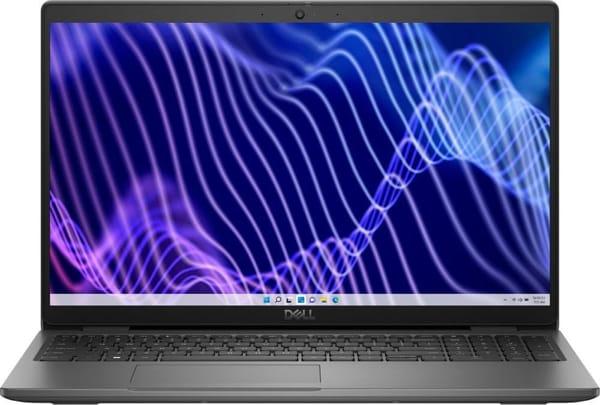
Dell Latitude 3540 – a business laptop that costs like a regular budget device. Large screen, quiet operation, and predictable build quality. There’s room inside for upgrades, so you can start with 8 GB of RAM and later add more memory and an SSD, turning it into a solid workhorse for years to come.
For studying, the Latitude excels in reliability. It’s a laptop that doesn’t show off — it just does its job day after day. These models last for years in offices, so they’re more than suitable for students.
Best suited for:
first-year university students and high-school seniors,
those with a very tight budget,
those who are okay starting with 8 GB and upgrading later.
Specifications:
Processor: Intel Core i5-1235U
Graphics: Intel Iris Xe Graphics
RAM: 8 GB DDR4
Storage: 256 GB SSD
Display: WVA 1920×1080, 60 Hz, anti-glare coating
Battery: 54 Wh
Ports: USB-A, USB-C, HDMI 1.4, audio jack, Ethernet
Weight: 1.81 kg
Features: backlit keyboard, USB-C Power Delivery, DisplayPort Alt Mode
7. Apple MacBook Air 13” (M1, 2020)
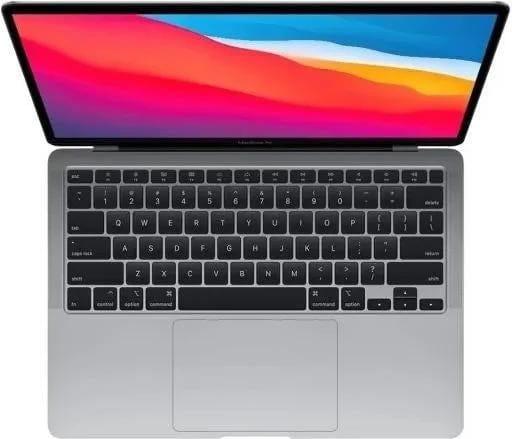
Apple MacBook Air M1 – a laptop you turn on and start working immediately, no driver setup or system tinkering required. It lasts 12–14 hours on a single charge, is completely silent (fanless), and barely gets warm. If you already own an iPhone or AirPods, everything syncs automatically and the Mac becomes a natural extension of your Apple ecosystem.
Despite the age of the chip, the M1 Air still performs beautifully in Final Cut, Logic, Photoshop, and with dozens of browser tabs open. The system receives regular updates, so the laptop still feels current. Perfect for studying, creative tasks, travel, cafés, and libraries thanks to its weight and battery life.
Best suited for:
people already in the Apple ecosystem,
those who want “turn on and work” with zero setup,
anyone who carries their laptop everywhere.
Specifications:
Processor: Apple M1
Graphics: 7-core GPU
RAM: 8 GB
Storage: 256 GB SSD
Display: Retina 2560×1600, 60 Hz, True Tone
Battery: 49.9 Wh
Ports: 2× Thunderbolt 3, audio jack
Weight: 1.29 kg
Features: Touch ID fingerprint scanner, fanless cooling, backlit keyboard
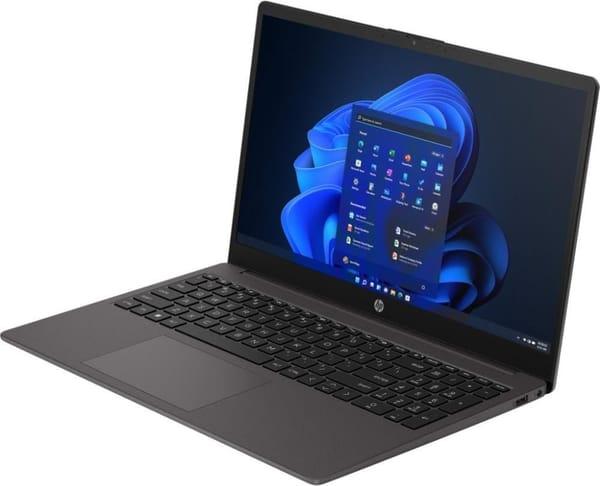
8. HP 250 G10 Turbo Silver
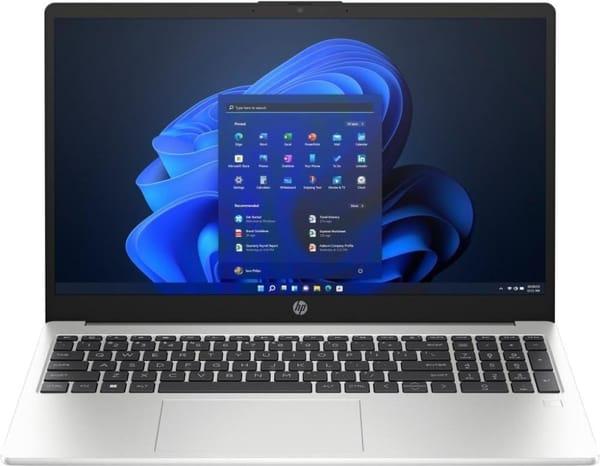
HP 250 G10 is a classic student workhorse that doesn’t try to look fancy but reliably handles everything you throw at it. Google Docs, Zoom, dozens of tabs, a 40-page paper written the night before the deadline — it never panics, stays quiet, and doesn’t turn into a room heater.
Plastic body, but solidly built; the keyboard with numpad is a blessing for anyone who considers Excel their best friend. More than enough power for studying, online courses, and calm office work.
Best for:
those looking for maximum value on a minimal budget,
anyone who needs a large SSD,
those tired of laptops that choke even on YouTube.
Specifications:
Processor: Intel Core i5-1334U
Graphics: Intel Iris Xe Graphics
RAM: 16 GB DDR4
Storage: 1 TB SSD
Display: IPS 1920×1080, 60 Hz
Battery: 41 Wh
Ports: USB-A, USB-C, HDMI 1.4, audio jack
Weight: 1.52 kg
Features: MIL-STD-810H durability, large storage, quiet operation
9. HP 255 G10
HP 255 G10 is an inexpensive laptop that doesn’t look or feel cheap. Matte finish, understated design, light weight, quiet operation, IPS screen — it has everything needed for studying and remote work.
Powered by a Ryzen 3 that confidently handles browsing, Office, Zoom lectures, and coursework in Word. Loved by those who want simple, predictable technology with no surprises.
Best for:
students on a tight budget,
people who type a lot of text,
anyone who prefers “sit down and work” experience.
Specifications:
Processor: AMD Ryzen 3 7330U
Graphics: AMD Radeon Graphics
RAM: 8 GB DDR4
Storage: 256 GB SSD
Display: IPS 1920×1080, 60 Hz
Battery: 41 Wh
Ports: USB-A, USB-C, HDMI 1.4, audio jack
Weight: 1.52 kg
Features: MIL-STD-810H durability, compact body
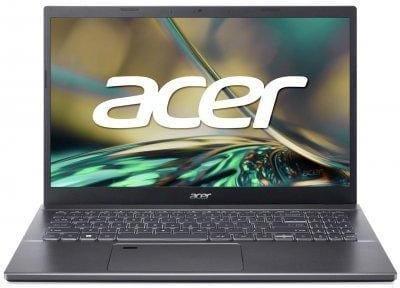
10. Acer Aspire 5
Acer Aspire 5 – a laptop equally loved by students and their parents. Sturdy, reliable, doesn’t overheat even with 20+ tabs open, and easily lasts a full school day.
Equipped with a Core i5-12450H that provides comfortable performance even with heavy files, presentations, and when everything is open at once. A very successful model for those who want “something more powerful but still reasonably priced.”
Best for:
students in IT or engineering programs,
those who run multiple programs simultaneously,
anyone who values speed without overpaying.
Specifications:
Processor: Intel Core i5-12450H
Graphics: Intel UHD Graphics 48EU
RAM: 32 GB DDR4
Storage: 512 GB SSD
Display: IPS 1920×1080, 60 Hz
Battery: 48 Wh
Ports: USB-A, USB-C, HDMI, audio jack
Weight: 1.76 kg
Features: fingerprint scanner, strong hardware for the price
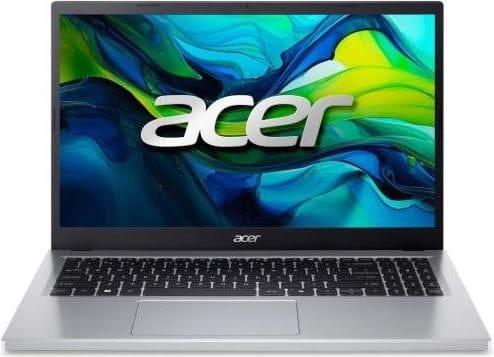
11. Acer Aspire Go 15 AG15-32P
Acer Aspire Go 15 – a laptop for those who just want “everything to work.” Light, inexpensive, comfortable, with a good screen and modern port selection.
Perfect for studying, documents, online lectures, and everyday tasks. The Ryzen 3 (actually Intel Core i3-N305 in this config) is snappy, DDR5 memory adds responsiveness, and the battery lasts longer than most laptops in this price range.
Recommended for:
those who need something inexpensive and practical,
people who want a large screen,
students who type a lot.
Specifications:
Processor: Intel Core i3-N305
Graphics: Intel UHD Graphics
RAM: 16 GB DDR5
Storage: 512 GB SSD
Display: IPS 1920×1080, 60 Hz
Battery: 53 Wh
Ports: USB-C, USB-A, HDMI, audio jack
Weight: 1.73 kg
Features: dedicated Copilot key, modern Wi-Fi 6
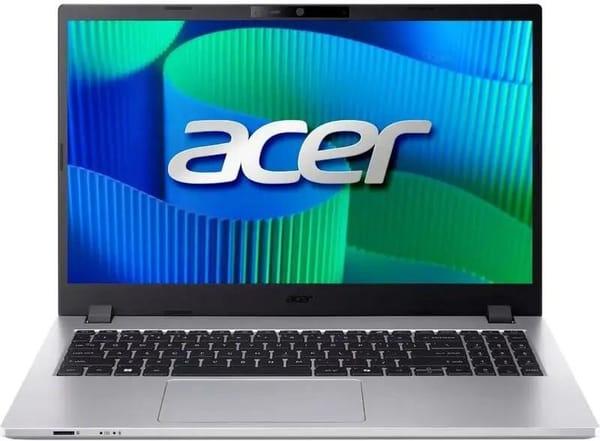
12. Acer TravelMate P2 15
Acer TravelMate P2 15 is a true workhorse laptop. Designed for those who carry it every day: rugged body, reliable build quality, fast SSD, and a modern processor make it perfect for long study and work sessions.
It doesn’t try to be flashy, but it reliably handles everything you need: browser, office suite, CRM, Zoom, even simple projects. A great choice for those who primarily need a dependable tool.
Best for:
those who travel a lot with their laptop,
those who want durability,
those who work many hours in a row.
Specifications:
Processor: Intel Core i3-100U
Graphics: Intel UHD Graphics
RAM: 16 GB DDR4
Storage: 512 GB SSD
Display: 15.6″ IPS 1920×1080, 60 Hz
Battery: 53 Wh
Ports: USB-A, USB-C, HDMI, Ethernet
Weight: 1.6 kg
Features: MIL-STD-810H durability, fingerprint scanner
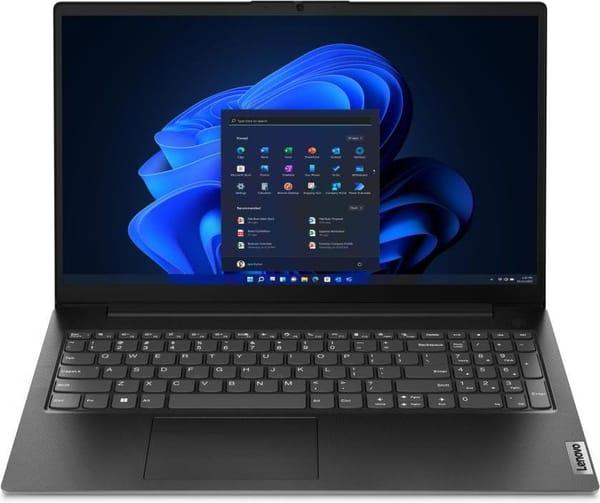
13. Lenovo V15 G4 AMN
Lenovo V15 is a laptop for those who want maximum performance in the budget segment. The Ryzen 5 inside is snappy, and the Radeon 610M can even handle light graphics tasks.
This model is perfect for analyst students, people working with spreadsheets, reports, data, as well as office workers. IPS screen, lightweight body, good port selection, and excellent battery life — everything you need for studying.
Best for:
those who spend many hours working on a laptop,
those looking for a fast processor without overpaying,
those who love Lenovo for their legendary durability.
Specifications:
Processor: AMD Ryzen 5 7520U
Graphics: AMD Radeon 610M
RAM: 16 GB LPDDR5
Storage: 512 GB SSD
Display: 15.6″ IPS 1920×1080, 60 Hz
Battery: 38 Wh
Ports: USB-C, USB-A, HDMI, Ethernet, audio jack
Weight: 1.65 kg
Features: MIL-STD-810H durability, keyboard with numpad
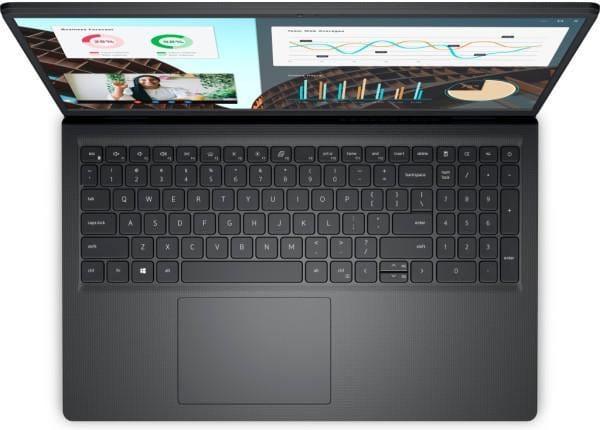
14. Dell Vostro 3530
Dell Vostro 3530 is a solid work laptop valued for its stability. No unnecessary frills: strict design, reliable hinges, good IPS screen, modern ports, and a quiet cooler.
The Core i5 inside handles work and study tasks without lag. Vostro is all about a business approach — sit down and get to work.
Best for:
those who need a laptop for long-term use,
those who love Dell for its quality,
those looking for a balance between performance and price.
Specifications:
Processor: Intel Core i5-1334U
Graphics: Intel Iris Xe Graphics
RAM: 16 GB DDR4
Storage: 512 GB SSD
Display: 15.6″ IPS 1920×1080, 120 Hz
Battery: 41 Wh
Ports: USB-A, USB-C, HDMI, audio jack
Weight: 1.7 kg
Features: strict design, fast 120 Hz display
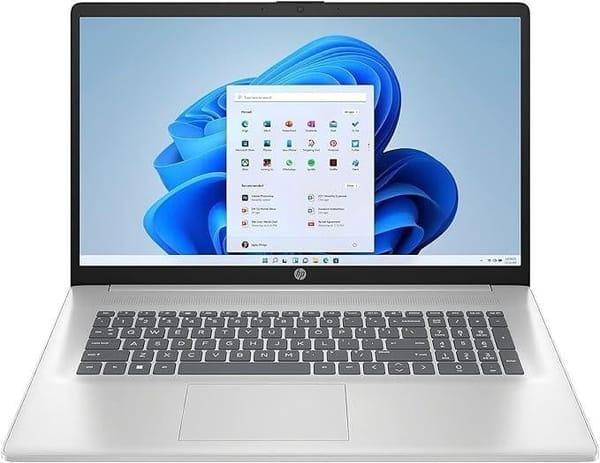
15. HP 17-cn3034ru
The large 17.3-inch HP 17-cn3034ru is the choice for those who love space. It’s comfortable to work with spreadsheets, charts, notes, and video lectures. It’s almost a workstation — only lightweight and affordable.
The Core i7 inside handles more tasks than you need for studying, and the large screen saves your eyes. A great find for home, remote work, and studying when screen size matters.
Best for:
those who want “almost like a monitor”,
those who work with large documents,
those who spend the whole day at the laptop.
Specifications:
Processor: Intel Core i7-1355U
Graphics: Intel Iris Xe Graphics
RAM: 16 GB DDR4
Storage: 512 GB SSD
Display: 17.3″ IPS 1920×1080, 60 Hz
Battery: 41 Wh
Ports: USB-A, USB-C, HDMI, audio jack
Weight: 2.08 kg
Features: large screen, quiet operation
Conclusion
To be honest, there’s no perfect laptop for every situation. Some need a big screen for spreadsheets, others need an ultra-light model for 9 a.m. lectures, and some just want Zoom to work without freezing. The good news is that in the budget up to ≈$750–800 (30,000 UAH), you can already find a laptop that won’t annoy you every morning and will easily survive the entire semester.
If you want maximum value for money — look at Dell or Acer Aspire 3. If you want something more premium, reliable, and “set it and forget it” — ThinkPad or HP ProBook. For those who type a lot — ASUS Vivobook. And if you’ve long dreamed of switching to macOS, the MacBook Air M1 is still the best ticket to all-day battery life and silent fanless operation.
Choose according to your tasks, not the pretty picture. Then the laptop will truly become a helper, not another headache before the deadline.
FAQ
Will the Acer Extensa (≈20,899 UAH) still have enough performance after a year?
Yes. The model with i5-13420H, 16 GB DDR5, and 512 GB SSD shows stable performance even with several tasks running simultaneously. With proper care (cleaning and updates), it will easily last 1–2 years without noticeable slowdowns.
Is it worth buying a laptop with 8 GB RAM in 2026?
In our opinion, 8 GB is the bare minimum. It’s enough for basic tasks (documents, online lectures, video), but for multitasking (browser + apps) it’s better to take 16 GB right away to avoid limitations.
Which processor is better: Ryzen or Intel?
It depends on the task. Ryzen (e.g. 7730U) is more energy-efficient and runs cooler, while 13th-gen Intel (i5-13420H) is slightly more powerful in demanding applications. We recommend choosing based on price and availability of the desired configuration.
Is the MacBook Air M1 still relevant in 2026?
Yes. The M1 still delivers excellent performance, and 12–14 hours of battery life is a huge advantage. If you like the Apple ecosystem or value reliability, it remains a worthy option.
Which screen size is better: 14″ or 15.6″?
14″ is more convenient for daily carrying (e.g. HP or ThinkPad). 15.6″ is better for stationary work at home or in the office where screen real estate matters (Acer, ASUS).