


Which iPad is best suited specifically for work
December 23, 2025
Work has long ceased to be tied to a large desktop computer. Nowadays, many people get by with just a tablet—and it's genuinely convenient, especially when you constantly move between meetings, home, and the office, or simply work from a coffee shop. But here's the paradox: the choice of iPad has become so wide that it's overwhelming. There are huge "monsters" with screens almost as big as a laptop's, compact lightweight models that barely feel in your bag, and even quite budget options that seemingly handle everything too. So which one is truly the best specifically for work?
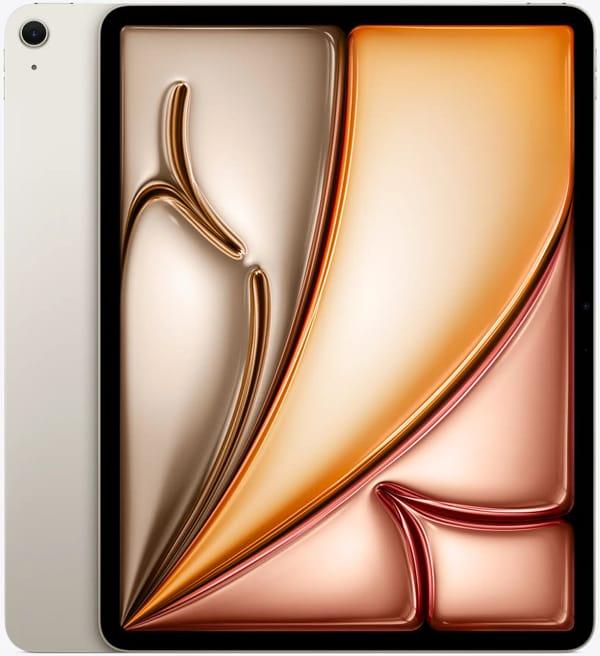
1. iPad Air 13″
Apple iPad Air 13″ 2025 features a large screen, while the price is noticeably lower than the Pro version. The 13-inch Liquid Retina display is sufficient for comfortable work with two apps side by side, and the M3 chip with 8 GB of RAM easily handles Photoshop, Figma, 4K editing in LumaFusion, and a dozen heavy apps at once. The thickness of 6.1 mm and weight are pleasantly surprising for such a diagonal. The 1 TB storage option solves the issue of storing large photo and video libraries directly on the device.
Advantages:
13 inches at a mid-range price
Powerful M3 chip, close to previous Pro models
Up to 1 TB of built-in storage
Support for Magic Keyboard and Apple Pencil Pro
Light and thin body for a large diagonal
Who it's for:
Photographers
SMM specialists and content creators
Freelancers who need a large screen but have a limited budget
Those who want performance headroom for 4-5 years without buying a top model
People who need a lot of storage for files and comfortable work on their lap or on the go
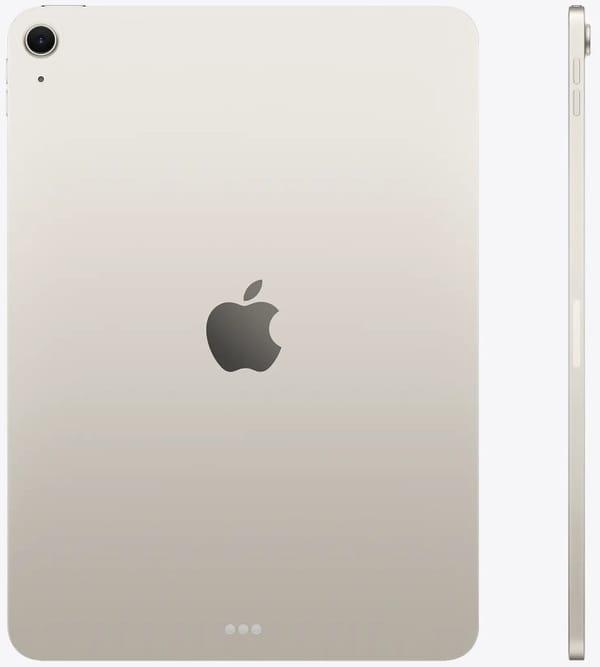
2. iPad Air 11″
Apple iPad Air 11″ 2025 combines a familiar size with quite serious internals. The 11-inch Liquid Retina display remains as convenient as on a regular iPad, but inside there's already an M3 chip and 8 GB of RAM, so the tablet easily handles 4K editing, work in Affinity Photo, and a dozen heavy tabs at once. The thickness of 6.1 mm and weight of about 460 grams allow holding it one-handed for hours without fatigue.
The cameras are the same as on the 13-inch Air; the 12 MP front camera with Center Stage conveniently tracks your face during calls. The USB-C 3.1 port provides decent file transfer speeds, and the magnetic connector securely holds the Apple Pencil Pro.
Advantages:
M3 chip and 8 GB RAM—performance headroom for several years even for demanding programs
Compact 11 inches with performance almost like previous Pro models
Up to 512 GB storage in this version—enough for large projects and archives
Light and thin body, convenient to carry all day
Full support for Magic Keyboard and Pencil Pro
Who it's for:
Freelance designers who draw and layout on the go
Upper-year students and graduate students with tons of PDFs and complex calculations
Managers for whom a laptop is too heavy, but a regular iPad is no longer enough
Photographers editing shots in Lightroom right in a coffee shop
Anyone who wants a big performance reserve but prefers the compact 11-inch format
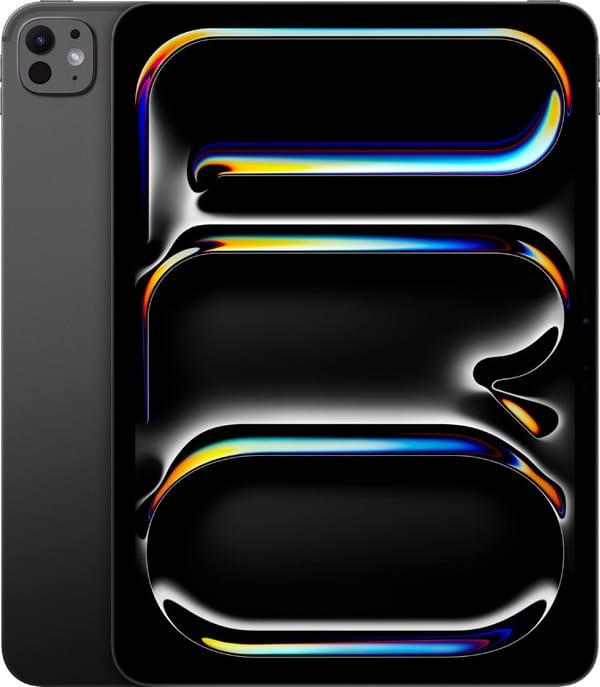
3. iPad Pro 13″
Apple iPad Pro 13″ 2025 is the largest and thinnest tablet in the lineup, at just 5.1 mm. The 13-inch Ultra Retina Tandem OLED display provides so much space that two full windows side by side no longer feel cramped. Brightness of 1600 nits and 120 Hz refresh rate make color correction or drawings maximally comfortable.
The version with 5G and eSIM keeps you online anywhere, and four speakers deliver loud and clear sound for calls without an external speaker.
Advantages:
Huge 13-inch OLED screen for true multitasking
Support for 5G and voice calls directly from the tablet
5.1 mm thickness with such a screen size
Same M5 chip and 12 GB RAM as the 11-inch model
Excellent sound from four speakers
Who it's for:
Architects and designers working with large drawings
Managers and executives constantly in meetings and traveling
Teachers and trainers showing presentations to large audiences
Those who want to fully replace a laptop with one device
People who critically need a lot of screen space and constant mobile internet
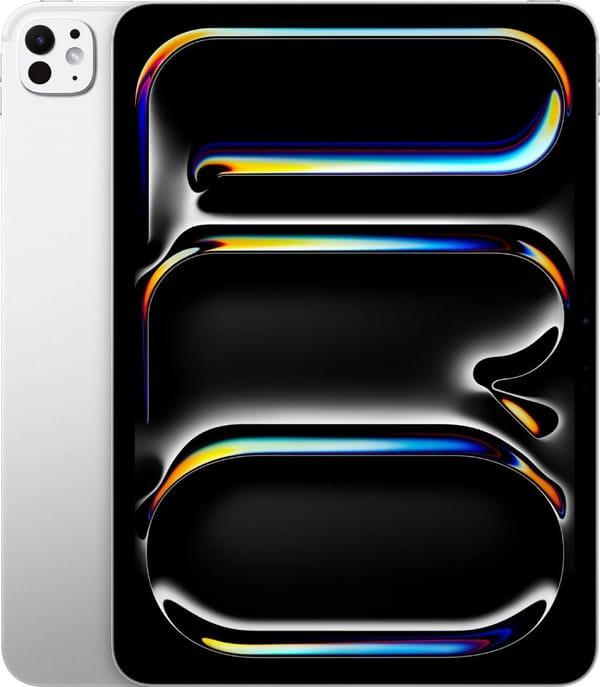
4. iPad Pro 11″
Apple iPad Pro 11″ 2025 with the M5 chip is made for those who value compactness but aren't willing to sacrifice power. The 11-inch Ultra Retina Tandem OLED display delivers deep blacks and brightness up to 1600 nits, so even in direct sunlight text and graphics remain readable. The 120 Hz smoothness is especially noticeable in Procreate, LumaFusion, or quickly scrolling large PDFs. The 5.3 mm thick body barely feels in the hand and easily fits into a jacket's inner pocket.
The camera supports ProRes and good stabilization, convenient for shooting short work videos or scanning documents directly into apps. The Thunderbolt port allows connecting fast SSDs and external 6K monitors without adapters.
Advantages:
Compact size with full M5 power and 12 GB RAM
OLED screen with true black and anti-glare coating
5.3 mm thickness—easy to carry in any bag or even a large pocket
Thunderbolt for fast transfer of large files and work with external drives
120 Hz smoothness in the interface and professional apps
Who it's for:
Designers and illustrators who draw on the go
Videographers and editors working with 4K ProRes
Architects and engineers with heavy 3D models
Those who often carry the tablet and want maximum performance in a minimal body
People who need an external monitor or fast transfer of terabytes of data
5. iPad 11″
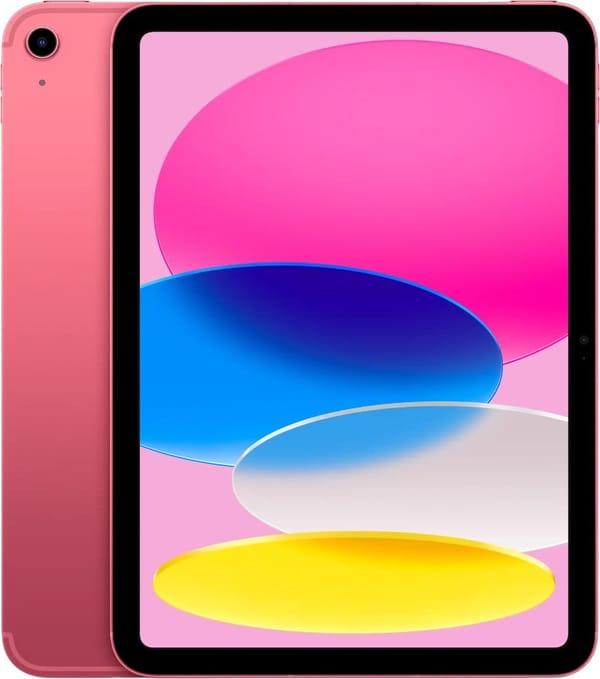
Apple iPad 11″ 2025 remains the most straightforward and affordable option for everyday work. The 11-inch Liquid Retina display is bright and sharp indoors, and the A16 chip with 6 GB RAM easily handles office suites, dozens of tabs, and video calls. Thickness of 7 mm—slightly more than Pro, but the price is noticeably lower.
There are versions with 5G, and Touch ID in the power button works instantly.
Advantages:
Lowest price among current models
Familiar IPS screen without flickering
Light body, convenient for prolonged holding
5G support in Cellular version
Compatibility with all old accessories
Who it's for:
Students and schoolkids for notes and study materials
Office workers dealing with email, documents, and spreadsheets
Teachers and tutors
Those who want a reliable tablet for several years without overpaying for excess power
People who value simplicity and a familiar interface
6. iPad mini 7
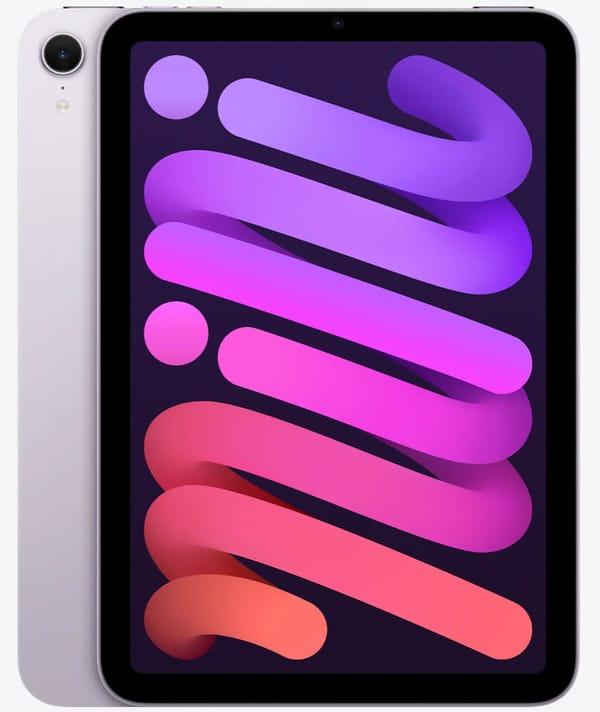
iPad mini 7 with an 8.3-inch diagonal and 2266 × 1488 resolution is so compact it really fits in a jacket pocket or small crossbody bag. At dimensions of 195.4 × 134.8 × 6.3 mm, you can hold it one-handed for hours—your wrist doesn't tire, even when taking notes or editing PDFs on the go. The screen is bright and sharp; small text in documents and code is readable without strain.
The A17 Pro chip with six cores and 512 GB storage turns the small tablet into a full-fledged work machine: Notion, Telegram, corporate email, Safari with tons of tabs, and a couple of PDFs—all run smoothly. Four speakers provide unexpectedly loud and clear sound, so during a small presentation for two or three people directly from the tablet, speech is perfectly audible. The 12 MP rear camera captures documents and whiteboards so well that no further edits are needed.
Advantages:
8.3-inch size—fits in any pocket and always with you
512 GB storage—all your work library, projects, and files offline
A17 Pro—instantly opens heavy apps and handles many programs at once
Four speakers—loud and clear sound even in noisy environments
Support for Apple Pencil Pro—convenient for signing documents and quick notes
Who it's for:
Those who run between meetings all day and want to carry the tablet in hand, not a backpack
Executives and inspectors who need to quickly show or sign a document on site
Students and teachers reading research papers and taking notes in transit
Anyone who takes handwritten notes and is tired of carrying even an 11-inch "shovel"
People who prioritize maximum mobility but need storage and power reserves
7. iPad 10.9″
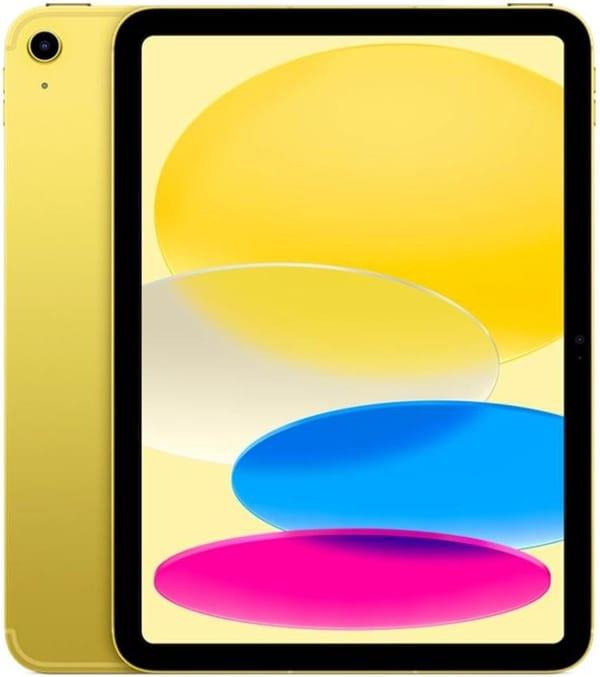
Apple iPad 10.9″ still looks modern: screen almost edge-to-edge, thin bezels, and USB-C instead of old Lightning. The 10.9-inch diagonal fits comfortably in the hand, and 7 mm thickness doesn't cause fatigue even when held for hours. The A14 Bionic chip with 4 GB RAM confidently handles typical work tasks: a dozen browser tabs, notes, email, Zoom, documents in Microsoft 365 or Google Docs.
The 12 MP front camera is now on the long side, so your face is always in frame in landscape mode. The 5G version lets you work anywhere with mobile coverage, and 256 GB storage is enough for plenty of files and apps without constant cleanup.
Advantages:
USB-C instead of Lightning—convenient charging with the same cable as phone and laptop
Front camera on the long side—perfect for video calls in landscape
5G support in this version—work in a park or car
256 GB storage—no need to constantly think about what to delete
Four speakers and bright 2360×1640 screen—pleasant for presentations and spreadsheets
Who it's for:
Those looking for an affordable but still relevant tablet for the next couple of years
Managers and salespeople who mostly communicate, show presentations, and fill forms
Lower-year students for notes, lecture viewing, and simple tasks
Parents needing a second tablet for work while kids use the first
Anyone whose needs are basic office work and doesn't want to overpay for extra power
Conclusion
Choosing an iPad for work boils down to three key parameters: screen size, performance level, and cellular connectivity. If the main workload is documents, spreadsheets, presentations, and video calls, the 13-inch Air with M3 chip fully covers these tasks and leaves a reasonable performance reserve for several years ahead.
For professional work with graphics, 3D modeling, high-resolution video editing, or projects requiring precise color reproduction, the current Pro models with OLED displays and M4/M5 chips remain the only option that truly replaces a desktop workstation. The 11-inch version suits those who value mobility, while the 13-inch is for those using the tablet as their primary computer.
The base iPad 11 continues to serve as an affordable device for everyday work tasks: browsing, corporate email, light office apps, and learning. With stable Wi-Fi, it handles most scenarios where maximum computing power isn't required.
Ultimately, the decision follows a simple principle: the more complex and resource-intensive the tasks, the closer you should look at the latest models. For most office and creative professions not involving heavy rendering or color correction, the current-generation Air remains the optimal balance of price, performance, and daily usability.