


iPad: Best Models for Drawing and Studying
December 23, 2025
Drawing has long moved from paper to digital, and for many artists, illustrators, and students in creative fields, the iPad has become something like a portable workshop. The choice of a specific model affects not only comfort in drawing apps but also how quickly you complete orders, build your portfolio, meet academic deadlines, and earn from your illustrations. Sometimes the difference between “comfortable” and “constantly annoying” comes down to just one or two tablet parameters.
This article gathers iPad models that perform particularly well as drawing tools: from compact options resembling a digital sketchbook to larger devices that feel closer to a stationary easel. All of them support the Apple Pencil and allow comfortable use of popular graphics apps, differing in screen size, display type, storage configuration, and processing power.
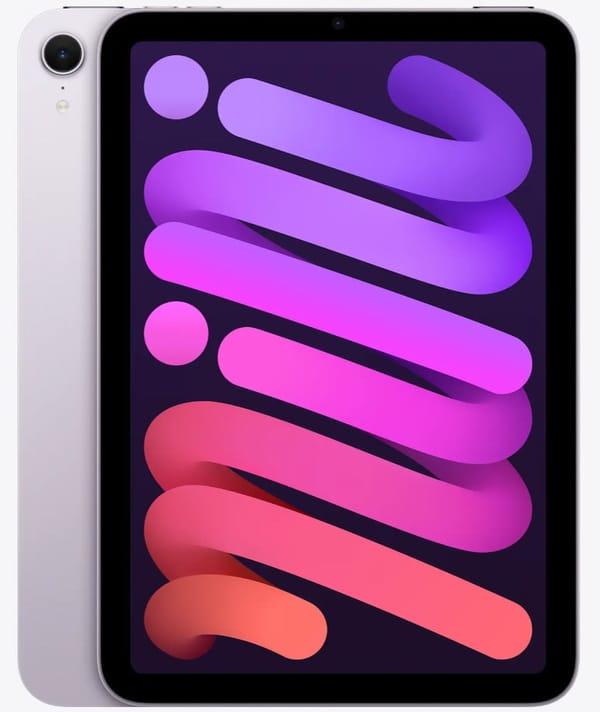
1. Apple iPad mini 7 Wi-Fi 256GB Purple (MXNE3)
The iPad mini 7 in the 256 GB version feels like a digital sketchbook that's always within reach. The 8.3-inch screen with Liquid Retina display, 2266x1488 resolution, laminated structure, and anti-glare coating delivers a very sharp image and doesn't wash out even in bright daylight. Thanks to the high pixel density, lines under the pencil look clean without “jaggies,” while True Tone and the wide P3 color gamut allow you to work with colors that closely match what the client will later see on a proper monitor.
It’s powered by the A17 Pro chip and 8 GB of RAM, so the tablet easily handles multi-layered illustrations, large canvases, and heavy brushes in popular graphics editors. The key feature of this “drawing-focused” iPad mini 7 configuration is support for Apple Pencil Pro and Apple Pencil USB-C, plus the hover function that shows where the stroke will land before contact. For quick sketches on the go, handwritten notes, and café-style illustrations, this is a very convenient format, and 256 GB of storage means you won’t constantly worry about deleting old projects.
Technical specifications:
Display diagonal: 8.3 inches, Liquid Retina, 2266x1488, 326 ppi, True Tone, wide P3 color gamut, fully laminated screen with anti-glare coating
Processor: Apple A17 Pro
RAM: 8 GB
Built-in storage: 256 GB
Main camera: 12 MP, video recording up to 4K
Front camera: 12 MP Center Stage
Stylus support: Apple Pencil Pro and Apple Pencil USB-C, Apple Pencil hover support
Wireless interfaces: Wi-Fi 6E and Bluetooth 5.3
Port: USB-C for charging and accessories
Operating system: iPadOS 18
Battery life: up to 10 hours of web browsing or video playback
Advantages:
Compact body – easy to hold with one hand and draw in transit or while waiting
Laminated display with no noticeable air gap – lines feel like they’re directly on the glass
Apple Pencil Pro support with squeeze, double-tap, and barrel roll gestures simplifies tool switching and brush angle control
A17 Pro and 8 GB RAM handle heavy canvases and multiple apps without noticeable lag
Disadvantages:
The 8.3-inch diagonal can feel cramped for complex scenes when you want to see both the canvas and the layers panel
60 Hz refresh rate – strokes appear less smooth compared to 120 Hz iPad Pro models
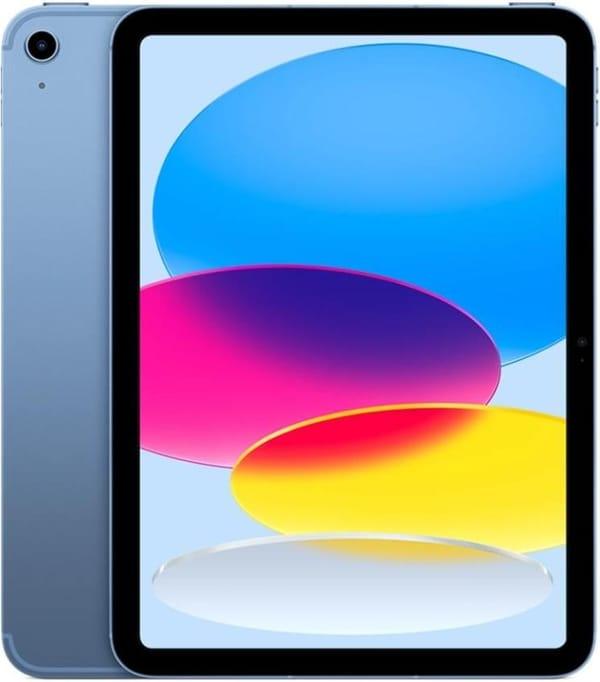
2. Apple iPad 10.9 2022 Wi-Fi + Cellular 64GB Blue (MQ6K3)
This iPad 10.9 2022 model looks like a “grown-up” tablet but remains the basic entry point for iPad drawing. The 10.9-inch display with 2360x1640 resolution, True Tone, and up to 500 nits brightness provides a solid workspace for illustrators: you can place the canvas, palette, and layers panel without everything feeling crowded. For first comics, character sketches, or concepts, this space is more than enough.
It runs on the A14 Bionic chip with 4 GB of RAM – by today’s standards this is mid-range, but it’s sufficient for most drawing tasks. The tablet supports Apple Pencil USB-C and the first-generation Apple Pencil (with adapter), so you can choose a stylus that fits your budget and habits. An important note for artists: the screen is not laminated, so there’s a small air gap between glass and matrix, making strokes appear slightly “deeper” than on mini or Air models, though many quickly get used to it.
Technical specifications:
Display diagonal: 10.9 inches, Liquid Retina, 2360x1640, 264 ppi, True Tone, brightness up to 500 nits
Screen type: IPS with LED backlight
Refresh rate: 60 Hz
Processor: Apple A14 Bionic with 6-core CPU and 4-core GPU
RAM: 4 GB
Built-in storage: 64 GB
Main camera: 12 MP, video recording up to 4K
Front camera: 12 MP Ultra Wide with Center Stage
Stylus support: Apple Pencil USB-C and first-generation Apple Pencil via adapter
Wireless interfaces: Wi-Fi 6 and Bluetooth 5.2, 5G support in Wi-Fi + Cellular version
Port: USB-C for charging and accessories
Battery: approximately 28.6 Wh, up to 10 hours on a single charge
Operating system: iPadOS 16 with upgrade capability to newer versions
Advantages:
10.9-inch diagonal provides a comfortable workspace for the editor interface and detailed drawing
True Tone and up to 500 nits brightness help maintain drawing readability under various lighting conditions
Support for two Apple Pencil variants lets you save on a stylus or keep an existing one
Cellular version is convenient for uploading work to the cloud directly from any location without Wi-Fi
Disadvantages:
Non-laminated screen – slight “depth” under the glass is noticeable, especially if you previously drew on laminated Air or mini displays
Base 64 GB storage fills up quickly if you keep many references, textures, and multiple project versions on the device
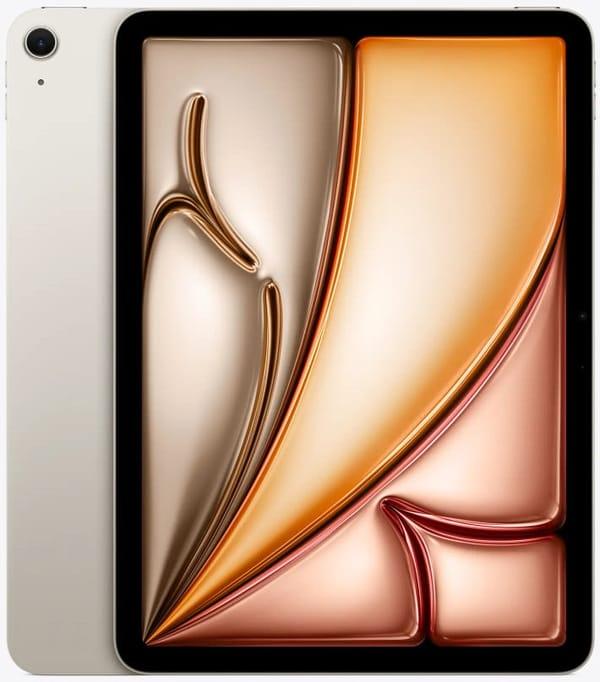
3. Apple iPad Air 11 2025 Wi-Fi 256GB Starlight (MCA44)
The iPad Air 11 2025 generation is noticeably closer to a professional drawing scenario. It features the same 11-inch Liquid Retina display with 2360x1640 resolution, laminated structure, anti-glare layer, and up to 500 nits brightness – already familiar from the Air lineup and considered the “working standard” for artists. Strokes visually lie almost directly on the glass, and P3 color coverage enables confident work with gradients, skin tones, and complex shades.
Inside is the M3 chip with 8 GB of RAM and, in this variant, 256 GB storage, so the tablet easily handles large canvases, 3D sketches, multiple heavy apps, and simultaneous reference browsing. The iPad Air supports Apple Pencil Pro and Apple Pencil USB-C, including hover, making fine brush adjustments, pencil rotation, and quick tool switches available directly without menu navigation. Add Wi-Fi 6E, a relatively light body, and all-day battery life, and you get a versatile workstation for illustrators who’ve outgrown the base iPad’s capabilities.
Technical specifications:
Display diagonal: 11 inches, Liquid Retina, 2360x1640, 264 ppi, wide P3 color gamut, True Tone, fully laminated screen with anti-glare coating, brightness up to 500 nits
Processor: Apple M3 with 8-core CPU and 9-core GPU
RAM: 8 GB
Built-in storage: 256 GB
Main camera: 12 MP, video recording up to 4K
Front camera: 12 MP Center Stage, placed on the long side of the body
Stylus support: Apple Pencil Pro and Apple Pencil USB-C, Apple Pencil hover support
Wireless interfaces: Wi-Fi 6E and Bluetooth 5.3
Port: USB-C for charging and accessories, support for external displays up to 4K 60 Hz
Battery: approximately 28.9 Wh, up to 10 hours of web or video use
Operating system: iPadOS 18 with Apple Intelligence support
Advantages:
Laminated anti-glare screen provides a very comfortable “drawing on surface” feel with no noticeable pen-to-image separation
Apple Pencil Pro support with hover and advanced gestures greatly speeds up work with brushes, textures, and fine details
M3 + 8 GB RAM confidently handles heavy projects, including complex multi-layered illustrations and simultaneous references
256 GB storage allows local keeping of brush libraries, fonts, and texture packs without constant cleanup
Disadvantages:
Still 60 Hz without ProMotion – stroke animation is slightly less smooth than on iPad Pro, especially if you’re used to Pro models
Price is noticeably higher than the base iPad 10, and not every artist needs this power if tasks are limited to sketches and simple illustrations
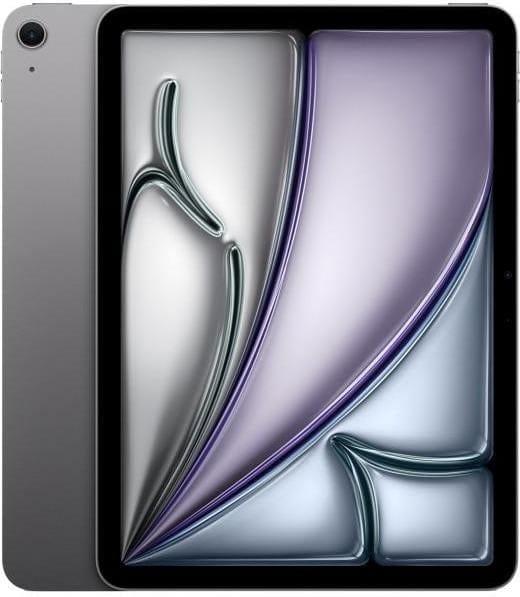
4. Apple iPad Air 11 2024 Wi-Fi 128GB Space Gray (MUWC3)
The Apple iPad Air 11 2024 is a compact tablet for those who draw not only at a desk but also on the go. The 11-inch display with high pixel density and wide color gamut easily handles subtle gradients and soft transitions essential for illustration. The screen is fully laminated with anti-glare and oleophobic coating, so lines don’t shift and reflections from lamps or windows are minimal.
The M2 chip and 8 GB of RAM handle multi-layered canvases, large brushes, and filters in popular graphics apps without strain. There’s plenty of power for notes, quick sketches, and more complex scenes. The tablet works with Apple Pencil Pro and Apple Pencil USB-C, supports hover preview, making it easy to aim at precise points or control stroke thickness before contact. The 128 GB storage suits users who periodically offload old projects to the cloud and don’t keep everything locally.
Technical specifications:
Display diagonal: 11 inches
Screen resolution: 2360 × 1640 pixels, 264 ppi
Matrix type: Liquid Retina, IPS
Screen coating: oleophobic and anti-glare, fully laminated display
Brightness: up to 500 nits
Color gamut: wide P3 range support and True Tone technology
Chip: Apple M2 with 8-core CPU and 9-core GPU
RAM: 8 GB
Built-in storage: 128 GB
Main camera: 12 MP wide-angle
Front camera: 12 MP landscape ultra-wide with Center Stage
Wireless: Wi-Fi 6E, Bluetooth 5.3
Cellular support: none, Wi-Fi only model
Port: USB-C with DisplayPort and data transfer support
Stylus support: Apple Pencil Pro and Apple Pencil USB-C with hover
Authentication: Touch ID in the top button
Operating system: iPadOS
Advantages:
Apple Pencil Pro and USB-C support offers flexibility in stylus choice and precise line control
Compact body feels lighter during long sketching sessions compared to larger 12–13-inch models
Fully laminated screen reduces parallax – strokes land exactly at the pencil tip
Excellent color reproduction and True Tone enable comfortable work under varying lighting
M2 power is sufficient for large canvases, complex brushes, and animation in popular apps
Disadvantages:
128 GB storage can become limiting if you keep many finished works, sources, and references locally
No cellular module ties you to Wi-Fi for uploading projects from anywhere
Power adapter not included – must be purchased separately for intensive creative sessions
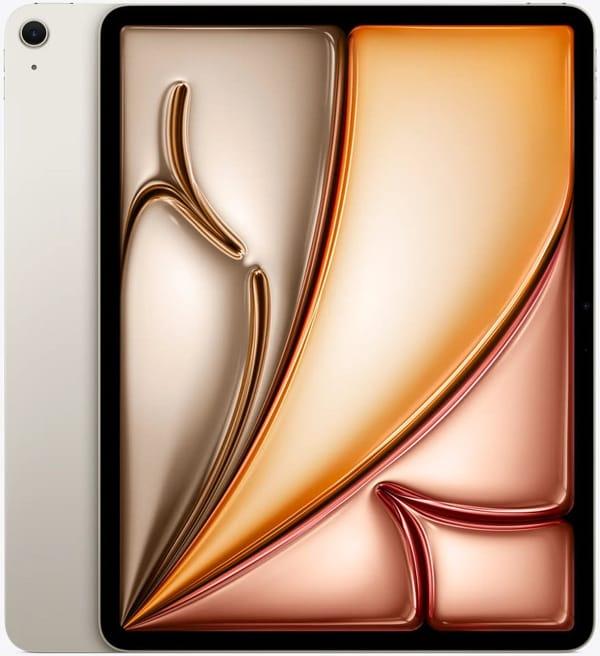
5. Apple iPad Air 13 2025 Wi-Fi 128GB Starlight (MCNK4)
This Apple iPad Air 13 2025 version feels more like a digital easel than a regular tablet.
The large 13-inch display provides much more space for composition: you can expand the canvas, keep layer panels, palette, and references on the screen without feeling cramped. Increased brightness helps when drawing during the day by a window or under a powerful lamp, while the expanded color gamut and anti-glare coating make shades stable and readable.
The M3 chip brings the device closer to a professional scenario. The tablet handles heavy brushes, complex textures, a large number of layers, and running multiple creative apps in parallel more confidently. Support for Apple Pencil Pro and Apple Pencil USB-C with hover functionality lets you see in advance where the stroke will land, while responsiveness to tilt and pressure enables more precise work with expressive brushes. The 128 GB configuration makes sense for those who actively use cloud storage and external drives, keeping only current projects on the device itself.
Technical specifications:
Display diagonal: 13 inches
Screen resolution: 2732 x 2048 pixels, 264 pixels per inch
Matrix type: Liquid Retina, IPS
Screen coating: oleophobic and anti-glare, fully laminated display
Brightness: up to 600 nits
Color gamut: support for wide P3 color range and True Tone technology
Chip: Apple M3 with 8-core CPU and 10-core GPU
RAM: 8 GB
Built-in storage: 128 GB
Main camera: 12 MP, wide-angle
Front camera: 12 MP, landscape ultra-wide with Center Stage
Wireless features: Wi-Fi 6E, Bluetooth 5.3
Cellular support: none, Wi-Fi only model
Connector and port: USB-C with DisplayPort support and high-speed data transfer
Stylus support: Apple Pencil Pro and Apple Pencil USB-C with hover function
Authentication system: Touch ID in the power button
Operating system: iPadOS
Advantages:
The large 13-inch display feels closer to a large-format sheet of paper, convenient for storyboards, comics, and detailed rendering
Increased brightness up to 600 nits helps maintain canvas readability in bright daylight
The powerful M3 chip comfortably handles heavy projects, complex brushes, and high resolution without noticeable lags
Apple Pencil Pro support provides access to advanced gestures and more precise tilt and pressure control
Landscape front camera and stereo speakers are convenient for online lessons, reviews, and collaborative drawing
Limitations:
The size and weight of the 13-inch model are less convenient for drawing handheld or on the go
128 GB storage fills up quickly if large projects and exported files aren't offloaded regularly
No cellular module limits comfortable work outside home or studio without reliable Wi-Fi
Stylus and power adapter not included, increasing the total cost of the drawing setup
Screen without ProMotion makes brush stroke animation and interface less smooth compared to higher-end lines
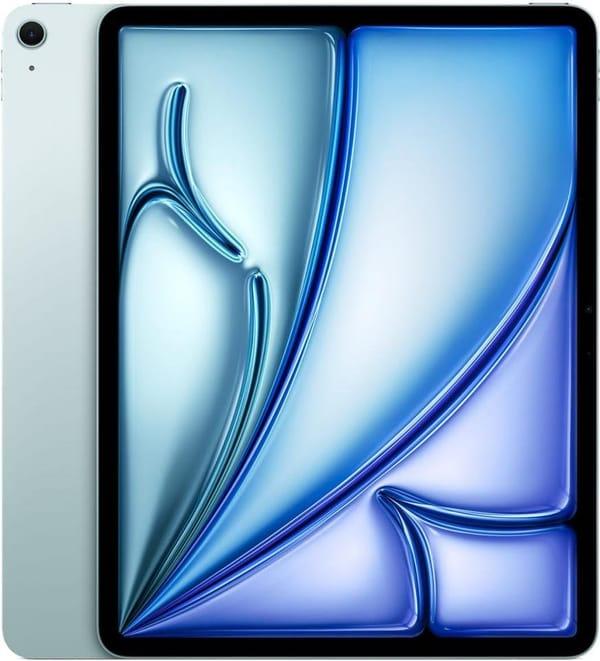
6. Apple iPad Air 13 2024 Wi-Fi 512GB Blue (MV2K3)
This version of the iPad Air 13 is designed for those who like to keep their work close at hand and don't enjoy constantly clearing storage. The same large 13-inch Liquid Retina display with high brightness and expanded color reproduction gives a desktop-like feel, where the canvas, tool panels, and auxiliary windows all fit on screen. This space is convenient for those drawing complex scenes, illustrating books, or creating large posters.
The main difference in this configuration is the 512 GB built-in storage. That's enough for storing massive projects, animated scenes, multiple versions of the same illustration, and texture libraries. Support for Apple Pencil Pro and Apple Pencil USB-C with hover makes the tablet great for experimenting with brushes and pen angles, while Wi-Fi 6E and Bluetooth 5.3 ensure stable connections to cloud storage and peripherals. You can save work to online storage, connect a keyboard, and listen to music via wireless headphones—all at once.
Specifications:
Display diagonal: 13 inches
Screen resolution: 2732 x 2048 pixels, 264 pixels per inch
Matrix type: Liquid Retina, IPS
Screen coating: oleophobic and anti-glare, fully laminated display
Brightness: up to 600 nits
Color gamut: P3 support and True Tone technology
Chip: Apple M2 with 8-core CPU and 9-core GPU
RAM: 8 GB
Built-in storage: 512 GB
Main camera: 12 MP, wide-angle
Front camera: 12 MP, landscape ultra-wide with Center Stage
Wireless features: Wi-Fi 6E, Bluetooth 5.3
Cellular support: none, Wi-Fi version
Connector and port: USB-C with DisplayPort support and high-speed data transfer
Stylus support: Apple Pencil Pro and Apple Pencil USB-C with hover function
Authentication system: Touch ID in the power button
Operating system: iPadOS
Strengths:
Large 13-inch display is convenient for complex scenes where seeing many details and panels at once matters
512 GB storage lets you keep large projects, layer archives, and references locally without constant cleanup
Apple Pencil Pro support provides confident control over line, tilt, and pressure during detailed work
High brightness and anti-glare coating make work easier in mixed lighting with windows and artificial light
The M2 chip confidently handles typical artist and designer tasks, including running multiple apps
Compromises:
Large body makes the tablet less convenient for quick sketches handheld; it feels more like a desktop tool
No cellular module limits work outside stable Wi-Fi zones, especially for quickly sending large files
Screen without ProMotion may feel less lively to those sensitive to brush movement smoothness and interface animation
Even with large storage, saving 4K video, renders, and many file versions will eventually fill it
No power adapter or stylus included, raising the total cost of a complete drawing kit
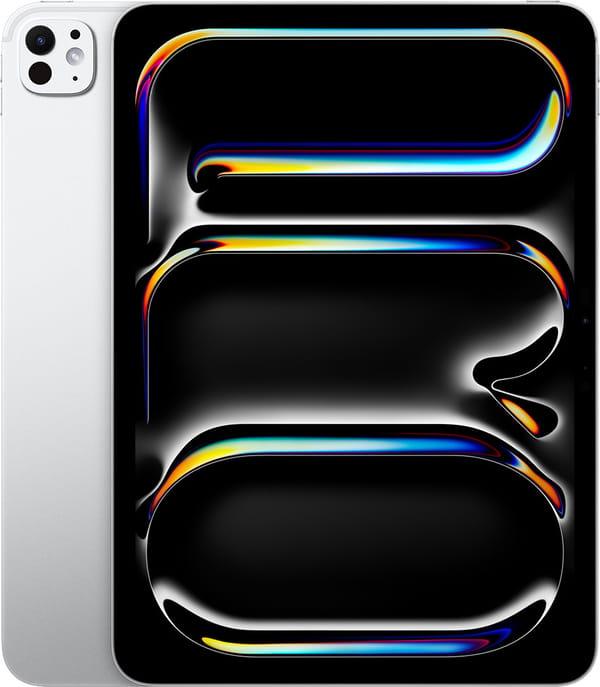
7. Apple iPad Pro 11 2024 Wi-Fi 16GB/1TB Silver (MVVF3)
This version of the iPad Pro 11 2024 is aimed at those who draw a lot and don't want to hit hardware limitations. The Ultra Retina XDR OLED display with Tandem OLED technology, high brightness, and up to 120 Hz refresh rate delivers very smooth brush movement and clean gradients without banding. P3 color gamut and True Tone help see shades closer to how they appear on quality monitors, making palette selection and soft light/shadow transitions easier. Support for Apple Pencil Pro and USB-C Apple Pencil turns the tablet into a full-fledged canvas: tilt, pressure, gestures, and hover preview simplify precise hits on small interface elements.
The M4 chip and 16 GB of RAM allow smooth handling of large canvases, animation, complex brushes, while keeping references or timeline windows open nearby. 1 TB storage is designed for extensive project libraries in graphic editors, PSD archives, and texture sets, so the tablet easily serves as the primary device for drawing and studying. At the same time, 11 inches isn't overly bulky: convenient for drawing at a desk, on the go (on your lap), or as a graphics tablet next to a laptop.
Technical specifications:
Display diagonal: 11", Tandem OLED matrix, Ultra Retina XDR, refresh rate up to 120 Hz (ProMotion)
Screen resolution: 2420 x 1668, 264 pixels per inch density
Processor: Apple M4
RAM: 16 GB
Built-in storage: 1 TB
Wireless modules: Wi-Fi 6E and Bluetooth 5.3
Port: Thunderbolt USB 4 for accessories and external displays
Operating system: iPadOS
Stylus compatibility: Apple Pencil Pro and Apple Pencil USB-C support, hover mode
Additionally: wide P3 color gamut and True Tone technology,
Advantages:
OLED screen with high contrast and brightness enables comfortable drawing and shadow work even in bright daylight
120 Hz refresh and Apple Pencil Pro support provide smooth brush strokes and minimal latency between hand movement and line
1 TB storage allows keeping large projects, brush and texture libraries without constant gallery cleanup
16 GB RAM simplifies work with multi-layered illustrations, complex effects, and large canvases
Disadvantages:
The 11-inch format remains versatile, but those accustomed to the largest possible canvas may find it lacking compared to 13 inches
The 1 TB configuration is noticeably more expensive than simpler versions, and part of the storage may go unused with moderate workload
No stylus or keyboard included raises the final budget for an artist's workspace beyond the tablet price alone
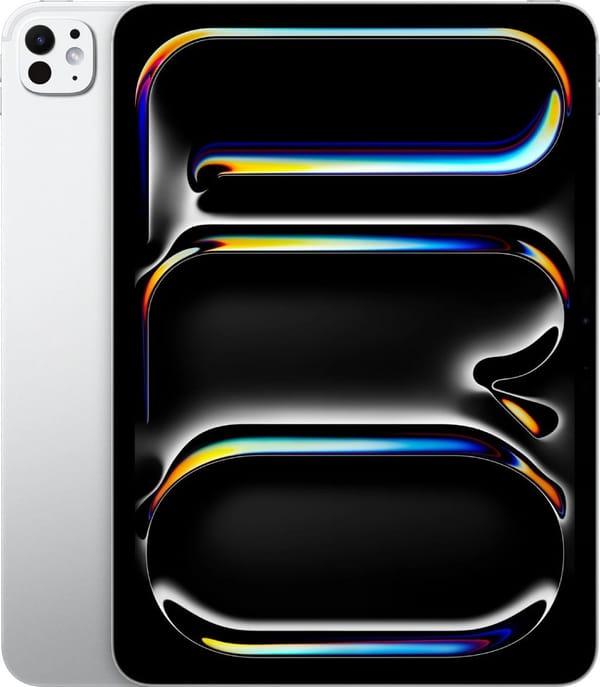
8. Apple iPad Pro 11 2025 Wi-Fi 2TB Silver (MDWV4)
The Apple iPad Pro 11 2025 model continues the concept of a compact yet clearly professional device for illustrators, comic artists, and designers. The Ultra Retina XDR screen based on Tandem OLED with up to 120 Hz refresh, wide P3 gamut, and True Tone feels like the familiar flagship "glass canvas": smooth strokes, clean gradients, stable color. Support for Apple Pencil Pro and USB-C Apple Pencil with hover helps work precisely with small interface elements, masks, and outlines without accidental touches disrupting the composition.
The main difference in this version lies in the internals and storage. The M5 chip, advanced graphics unit, and 16 GB of RAM in the 2 TB configuration provide a noticeable power reserve for large scenes, complex animations, and experiments with modern graphic editor capabilities. The 2 TB storage capacity practically eliminates the question of "where to store projects," even for those who record timelapses, keep multiple versions of the same illustrations, and have a large reference library at hand. Updated wireless modules supporting faster Wi-Fi standards and modern Bluetooth turn the tablet into a compact drawing station that easily integrates with cloud services and desktop equipment.
Technical Specifications:
Display Diagonal: 11", Ultra Retina XDR, Tandem OLED, refresh rate up to 120 Hz (ProMotion)
Screen Resolution: 2420 x 1668, density 264 pixels per inch, SDR brightness up to 1000 nits, HDR peak up to 1600 nits, contrast ratio 2,000,000:1
Processor: Apple M5
RAM: 16 GB in the 2 TB storage configuration
Internal Storage: 2 TB
Port: Thunderbolt USB 4 for external displays and fast peripherals
Operating System: iPadOS
Stylus Compatibility: Support for Apple Pencil Pro and Apple Pencil USB-C, hover mode
Additionally: Next-generation Wi-Fi and Bluetooth wireless modules
Advantages:
High contrast and stable brightness help more accurately evaluate light and shadow, which is useful when working with realistic scenes and complex palettes
The M5 chip's performance comfortably covers tasks from drawing in professional editors to heavy 3D sketches and preview renders
The 2 TB capacity is convenient to use as a personal archive where projects, timelapses, and large brush/texture packs live directly on the device
Sixteen gigabytes of RAM allow free work with large canvases without fearing slowdowns during zooming, transformations, and mask work
The modern Wi-Fi module speeds up uploading and downloading heavy files, noticeable when transferring finished layouts or storyboards to the cloud
Drawbacks:
The cost of this configuration is significantly higher than models with less storage, so it makes sense primarily for those who truly fill storage to capacity
The 11-inch format isn't for everyone; some artists will prefer the 13-inch for more comfortable interface and canvas layout
Lack of stylus and keyboard in the box still requires purchasing accessories, without which the tablet's drawing potential isn't fully realized
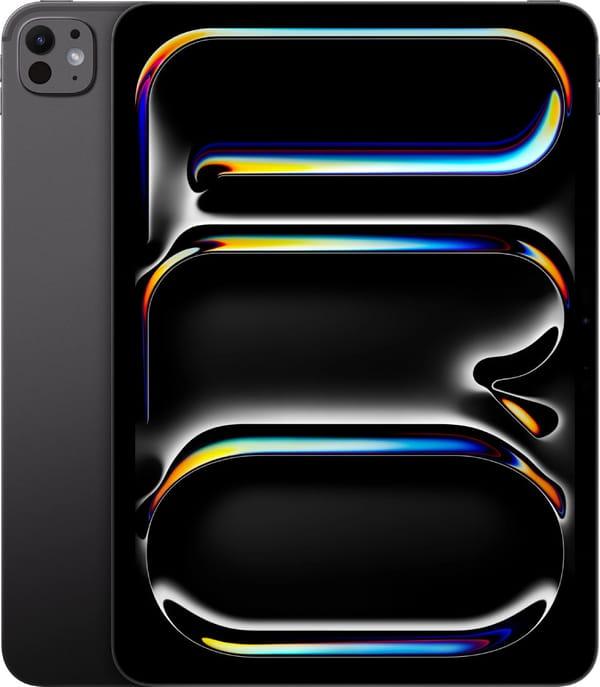
9. Apple iPad Pro 13 2024 Wi-Fi + Cellular 2TB Space Black (ME8J4)
This version of the Apple iPad Pro 13 2024 with a 13-inch screen is more oriented toward desktop use than quick notes on the go. The large Ultra Retina XDR diagonal with Tandem OLED and up to 120 Hz refresh rate gives the feel of an almost full sheet slightly larger than A4. On such a screen, it's convenient to spread out the editor interface, brush panel, references, while leaving plenty of space for the canvas itself. High brightness, deep blacks, and precise shadow transitions allow comfortable color work even if room lighting changes during the day. Support for Apple Pencil Pro and Apple Pencil USB-C with hover mode enables precise drawing of fine details, mask adjustments, anchor points, and calligraphy.
Performance comes from the M5 chip with an advanced graphics unit and increased RAM, paired with 2 TB storage. This reserve allows keeping large scenes, storyboards, multiple project versions, and video references open simultaneously without worrying about memory status. Wi-Fi and cellular support make the device a standalone workstation: draw, upload sources, call about the project, and send results directly to the client without needing a laptop. At around 580 grams, the tablet remains relatively portable, but it feels more like a "work monitor you can take with you" than a pocket notebook.
Technical Specifications:
Display Diagonal: 13", Ultra Retina XDR, Tandem OLED, refresh rate up to 120 Hz (ProMotion)
Screen Resolution: 2752 x 2064, density 264 pixels per inch, SDR brightness up to 1000 nits, HDR peak up to 1600 nits, contrast ratio 2,000,000:1
Processor: Apple M5
RAM: 16 GB for the 2 TB configuration
Internal Storage: 2 TB
Port: Thunderbolt USB 4, support for external displays
Operating System: iPadOS
Stylus Compatibility: Support for Apple Pencil Pro and Apple Pencil USB-C, hover mode
Additionally: Next-generation Wi-Fi and Bluetooth modules, 5G support for Wi-Fi + Cellular model
Best Features:
The large 13-inch OLED screen provides a very comfortable workspace for detailed rendering, storyboarding, and complex compositions
High brightness and contrast allow precise viewing of light, reflections, and textures even in challenging room lighting
The combination of M5 chip, 16 GB RAM, and 2 TB storage makes the tablet comfortable for heavy projects, 3D sketches, and running multiple apps
Cellular module simplifies remote work, allowing layout uploads, preview sends, and feedback without Wi-Fi dependency
The large diagonal improves precise interface work, but on the go it takes more space and isn't always convenient on the lap
Shortcomings:
Weight around 580 grams is more noticeable during prolonged freehand drawing; the hand tires faster than with the 11-inch version
The 2 TB + cellular configuration costs noticeably more, so it primarily makes sense for those who store their entire work archive on the device
Full illustration work requires purchasing Apple Pencil Pro and optionally a keyboard, further increasing the total budget
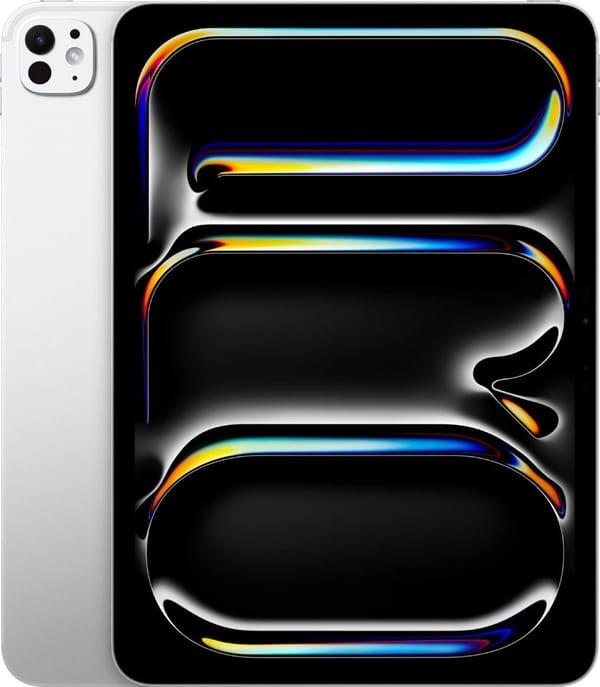
10. Apple iPad Pro 13 2025 Wi-Fi 256GB Silver (MDYK4)
This iPad Pro 13 2025 is designed for those who don't draw occasionally but live in graphic apps. The 13-inch Ultra Retina XDR display based on Tandem OLED provides a large canvas with high detail and accurate color—especially important for hitting skin tones or subtle metal reflections precisely. The screen supports ProMotion with adaptive refresh up to 120 Hz, so the stylus line follows the hand without lag, and fast strokes don't turn into jagged angles.
The Apple M5 chip with 9-core CPU and 10-core GPU easily handles heavy scenes with many layers, textures, and effects, so apps like Procreate, Affinity, Clip Studio don't lag on every action. 12 GB RAM helps keep multiple projects and references open simultaneously, while 256 GB storage is enough for a substantial library of works and timelapses. The tablet supports Apple Pencil Pro and USB-C Pencil, with hover cursor, Wi-Fi 7 for fast cloud project sync, and a slim ~5 mm body weighing ~579 g—quite light for a 13-inch device.
Specifications:
Display Diagonal: 13 inches, Ultra Retina XDR, Tandem OLED
Display Resolution: 2752 x 2064 pixels, density ~264 ppi
Screen Refresh Rate: ProMotion with adaptive refresh up to 120 Hz
Color Space Support: Wide P3 gamut, True Tone technology
Processor: Apple M5 with 9-core CPU and 10-core GPU
RAM: 12 GB
Internal Storage: 256 GB
Wireless Interfaces: Wi-Fi 7, Bluetooth 6.0
Connection Port: USB4 port with high-speed data transfer and external display support
Main Camera: 12 MP, high-resolution video recording support
Front Camera: 12 MP
Operating System: iPadOS
Stylus Compatibility: Apple Pencil Pro, Apple Pencil USB-C
Body Material and Color: Metal body, silver finish
Dimensions and Weight: Approximately 281.6 x 215.5 x 5.1 mm, weight ~579 g
Advantages:
The large 13-inch display provides ample workspace, conveniently placing palette, references, and canvas without constant window switching
OLED panel with high brightness and P3 support greatly simplifies color and light-shadow work, especially for print or publication preparation
ProMotion up to 120 Hz makes strokes smooth—the brush practically sticks to the screen, easier to control dynamic lines and calligraphy
Apple Pencil Pro support unlocks finer sensitivity and gestures, simplifying quick sketches and complex brushes
Powerful M5 chip and 12 GB RAM allow working with heavy files and brushes without sudden lags during zoom or transformation
Weaknesses:
High price of tablet and accessories makes the setup more justified for professional artists than hobbyists just trying tablet drawing
Large format and 13-inch diagonal require more backpack/table space; not always convenient for quick on-the-go sketches
Slim body feels great in hand, but long sessions almost always need a case or stand to avoid holding the weight
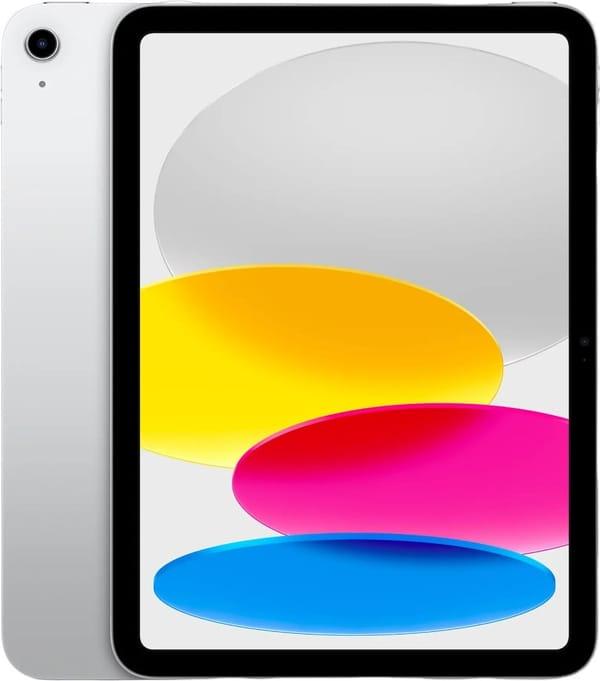
11. Apple iPad 2025 Wi-Fi 256GB Silver (MD4G4)
The base iPad 2025 suits those needing a versatile tablet for drawing, studying, and daily tasks without diving deep into pro territory. The 11-inch Liquid Retina display at 2360 x 1640 resolution strikes a pleasant balance between portability and workspace: comfortable for illustrations, storyboards, or detailing without constant zooming. IPS matrix with True Tone, HDR, and Dolby Vision provides sufficient brightness and natural colors for casual sketching in cafes or classrooms.
Inside is the A16 chip, noticeably more powerful than the 2022 model, so drawing/note apps launch quickly and multilayer scenes don't feel sluggish. 6 GB RAM and 256 GB storage provide room for dozens of active projects, study materials, and video references. Supports USB-C and first-gen Apple Pencil, stereo speakers with Dolby Atmos, side Touch ID, and ~10-hour battery. At ~477 g with slim aluminum body, it's easy to carry anywhere without extra weight worry.
Technical Specifications:
Display Diagonal: 11 inches, Liquid Retina IPS LCD
Display Resolution: 2360 x 1640 pixels, density ~260 ppi
Screen Refresh Rate: 60 Hz
Display Technologies: HDR, Dolby Vision, True Tone
Processor: Apple A16
RAM: 6 GB
Internal Storage: 256 GB
Wireless Interfaces: Wi-Fi 6 (802.11ax), Bluetooth 5.3
Connection Port: USB Type-C
Main Camera: 12 MP with up to 4K video recording
Front Camera: 12 MP
Operating System: Current iPadOS version for 2025
Stylus Compatibility: Apple Pencil USB-C, first-generation Apple Pencil
Additionally: Side fingerprint scanner, stereo speakers with Dolby Atmos
Body Material and Color: Metal body, silver finish
Dimensions and Weight: ~248.6 x 179.5 x 7 mm, weight ~477 g
Advantages:
Compact 11-inch format is great for on-the-go sketching; fits easily in regular backpacks or bags
Resolution and pixel density sufficient for sharp fine details and sketch labels without noticeable jaggies
Support for USB-C and first-gen Pencil offers budget/habit choice; can use existing stylus
A16 performance handles decent layer counts, combining drawing with reference viewing
Stereo speakers with Dolby Atmos provide nice background for music or tutorials while drawing
Limitations:
60 Hz limit makes brush movement slightly less smooth than Pro models—noticeable for those used to 120 Hz
Lack of some advanced Pro features may be felt if planning complex 3D or pro editing on one device
IPS screen lags behind OLED in black depth and contrast for dark scenes or night palettes
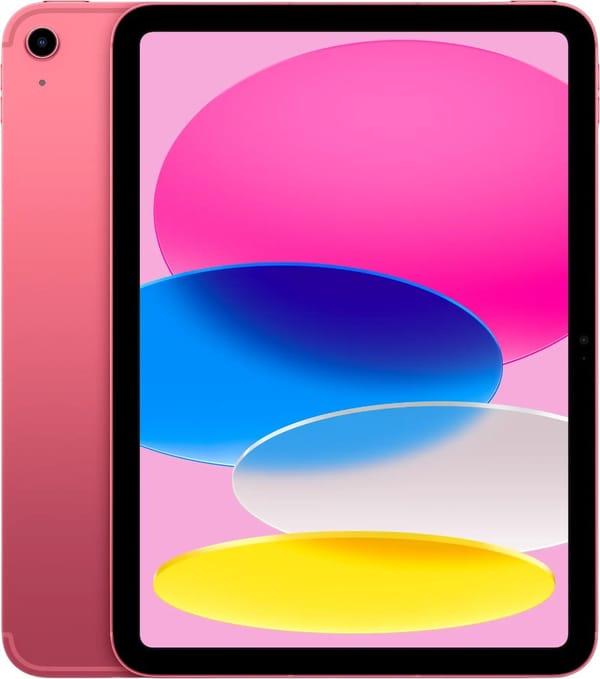
12. Apple iPad 2025 Wi-Fi + Cellular 512GB Pink (MD7T4)
This iPad 2025 Wi-Fi + Cellular 512GB version targets those untethered to one spot, drawing anywhere: trains, trips, parks. The 11-inch IPS display at 2360 x 1640 with 264 ppi offers familiar workspace for comfortably combining canvas, brushes, and layers. Color reproduction and brightness allow relaxed drawing in natural light, while the capacitive sensor reads precise strokes and quick navigation gestures well.
A16 chip and large 512 GB storage make this config more flexible for artists storing massive project/source/video libraries. Supports Wi-Fi 6, 5G, Bluetooth 5.3, and GPS for seamless on-the-road networking and cloud/client folder sync. USB-C Pencil support and keyboard accessory compatibility turn it into a workstation for drawing and project descriptions. Pink aluminum body, ~7 mm thick, ~477 g weight make it light enough to grab without second thoughts.
Technical Specifications:
Display Diagonal: 11 inches, IPS, capacitive touchscreen
Display Resolution: 2360 x 1640 pixels, ~264 ppi
Processor: Apple A16
Internal Storage: 512 GB
Operating System: iPadOS
Wireless Interfaces: Wi-Fi 6 (802.11ax), 5G, Bluetooth 5.3, GPS
Connection Port: USB Type-C
Main Camera: 12 MP
Front Camera: 12 MP
Audio: Built-in stereo speakers and microphone
Battery Life: Up to 10 hours
Stylus Compatibility: Support for Apple Pencil (USB-C connected and charged)
Body Material and Color: Aluminum body, pink shade
Dimensions and Weight: Approximately 249 x 180 x 7 mm, weight ~0.477 kg
Strengths:
Versatile 11-inch format suits quick sketches and detailed work; comfortable to hold or prop up
Large 512 GB storage holds numerous projects, brushes, fonts, and references without constant cleanup
5G and Wi-Fi 6 simplify cloud and collaborative work, loading heavy files on the move
USB-C Pencil support enables precise work without outlet dependency—charges from tablet
Low weight and slim body make it convenient for long couch or travel sessions
Drawbacks:
60 Hz slightly limits super-smooth brush feel compared to Pro models, especially if accustomed to 120 Hz
IPS matrix lags behind pro OLED in contrast and black depth—notable in nuanced dark scenes
Pink body stands out visually, not everyone's taste, especially in professional/business settings
Conclusion
Looking at all models in the lineup, it's clear: there is no single "perfect for everyone" iPad for drawing. There are compact devices feeling like pocket sketchbooks, versatile 11-inch tablets for studies and first commissions, and larger options for detailed rendering and regular heavy project work. The right choice depends less on model name and more on how you draw and your daily tasks.
When choosing, start from your workflow: where you draw most, how often you take the tablet, daily graphic app time, local vs. cloud storage reliance. These answers will match you to described models without overpaying for unused specs or underspeccing for quick replacement.
All reviewed iPads can become reliable drawing tools—the difference is which fits your life, study, and work rhythm best. Calm, thoughtful choice here matters as much as a well-picked brush or palette: once set up "your" tablet, you stop distracting on tech and focus on the main—ideas and images you want to bring to life.