


Which Graphics Tablet to Choose for osu! in 2026: Top of the Best
December 22, 2025
osu! players have long known — it's not the mouse, and not even the stylus that decides, but the tablet. The right model helps not only hit more accurately but also avoid fatigue after hours of play. In 2026, the choice has become even wider: several worthy new models have appeared, while old legends like Huion and XP-Pen are still holding strong. The main thing is to understand which size is more comfortable, whether you need express keys, and how the surface responds to fast movements.
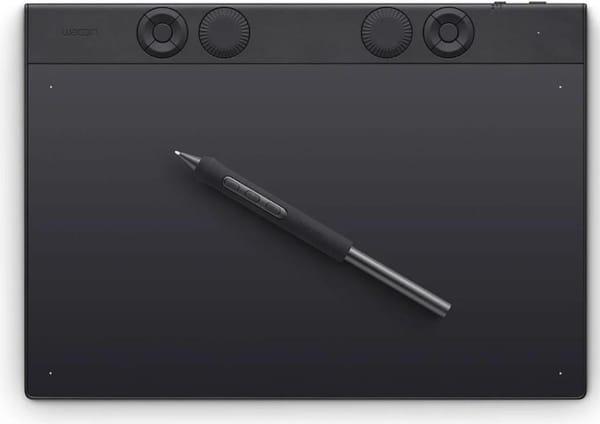
1. Wacom Intuos Pro M 2025
Wacom Intuos Pro M 2025 is suitable for those seeking stability, precision, and a decent working area without a display. The tablet feels like a reliable tool, especially if you're used to working with accelerations and quick transitions — it handles them calmly. The Pro Pen 3 recognizes 8192 pressure levels and supports tilt, while the tablet surface provides a natural feel from touch, which is important for osu! at high speeds.
It connects via USB or Bluetooth — wired mode is more convenient for minimal latency, especially in competitive play. Programmable buttons can be set to personal shortcuts, and the tablet size is the golden mean: not too bulky, but not too small. For those who play for hours, it's also important that the tablet is lightweight with a thin body, so your hands don't tire from constant movement across the desk.
Key Points:
Bluetooth and USB connectivity support
Working area suitable for fast movements in osu!
Pen requires no charging
Customizable keys and scroll wheel
Lightweight and thin body
Specifications:
Active area: 263 × 148 mm
Pressure levels: 8192
Tilt support: 60°
Pen: Wacom Pro Pen 3
Connectivity: USB / Bluetooth
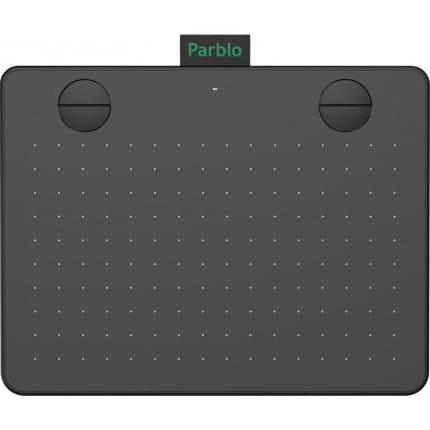
2. Parblo A640 V2 Black
Parblo A640 V2 Black is a lightweight and compact tablet often chosen by those who want to try osu! without extra expenses. Despite its simple appearance, the tablet provides stable response and quick reaction, and its small active area helps focus on accuracy. Thanks to the battery-free P05 pen and 8192 pressure levels, players get good control, especially during fast aiming or sharp direction changes.
The model easily connects via USB-C and works with Windows, macOS, Android, and Chromebook, which is convenient if you use different devices. The four customizable buttons can be disabled or assigned to useful functions, but many simply ignore them — the body is compact, and accidental touches don't interfere. For osu!, this is one of the most popular options among beginners and those seeking minimal latency.
Key Points:
Convenient size for fast osu! play
High precision and pen response
Compact and lightweight body
Simple USB-C connection
Works with Windows, macOS, Android
Specifications:
Active area: 152 × 101 mm
Pressure levels: 8192
Tilt support: Yes (60°)
Pen: P05
Connectivity: USB Type-C
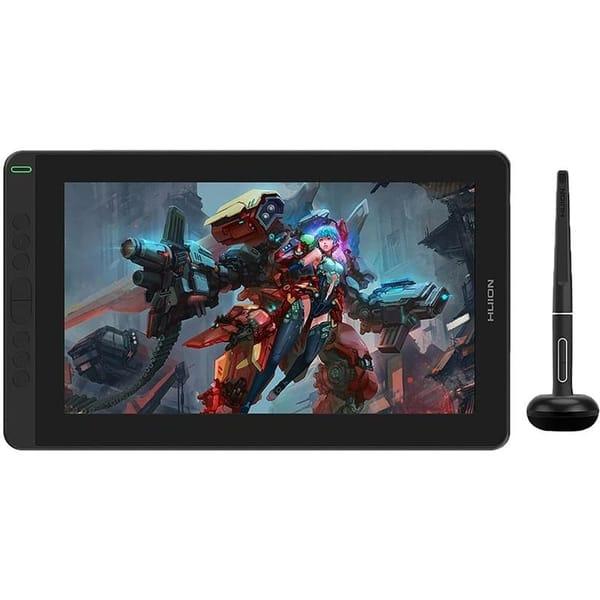
3. Huion Kamvas 13
Huion Kamvas 13 is no longer just a tablet but a full-fledged pen display. The 13.3-inch screen gives the feeling of "drawing on glass," but with a laminated structure and anti-glare coating, it doesn't hinder accuracy. In osu!, it works surprisingly well, especially if you're used to seeing exactly where you're moving the cursor. The battery-free PW517 pen, with 8192 pressure levels and tilt recognition, behaves smoothly without jumps.
On the side panel, there are 8 programmable buttons that can be disabled or customized. Connectivity is flexible: single USB-C cable or a three-cable setup with HDMI. The Kamvas is convenient because it can be used not only for osu! but also for studying, drawing, and graphic work. It weighs less than a kilogram and easily fits in a backpack.
Key Points:
Full HD display with anti-glare coating
Pen based on PenTech 3.0 technology
Customizable keys on the body
USB-C and HDMI support
Compatibility with macOS, Windows, and Android
Specifications:
Active area: 293.76 × 165.24 mm
Pressure levels: 8192
Tilt support: Yes (60°)
Pen: PW517
Connectivity: USB
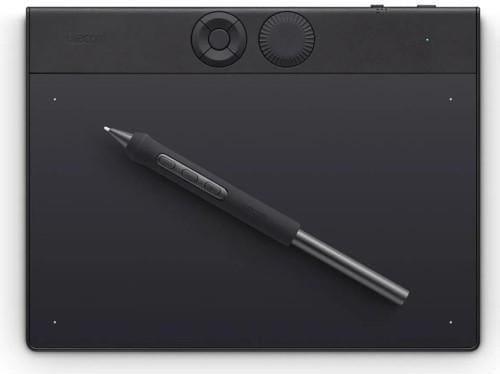
4. Wacom Intuos Pro S 2025
Wacom Intuos Pro S 2025 is suitable for those who prefer a compact format without sacrificing precision. The 187 × 105 mm active area provides comfortable space for osu! play, especially for those using a small tablet with high sensitivity. The Wacom Pro Pen 3 handles touches smoothly without jumps and responds well to pressure changes. Thanks to the matte texture, the surface feels like paper, helping control pen movement even in fast tracks.
The tablet works both wired and via Bluetooth, so it can be used in a stationary setup or on the go. Customizable keys and the wheel can be conveniently disabled if they interfere. The body is lightweight and thin, taking up little desk space. For those who often carry the tablet or simply dislike bulky devices, this is a convenient option without excess.
Key Points:
Compact size, convenient for high-sensitivity play
Bluetooth and wired connectivity support
Battery-free pen with sensitive response
Customizable keys and wheel
Convenient for desktop and mobile use
Specifications:
Active area: 187 × 105 mm
Pressure levels: 8192
Tilt support: 60°
Pen: Wacom Pro Pen 3
Connectivity: USB / Bluetooth
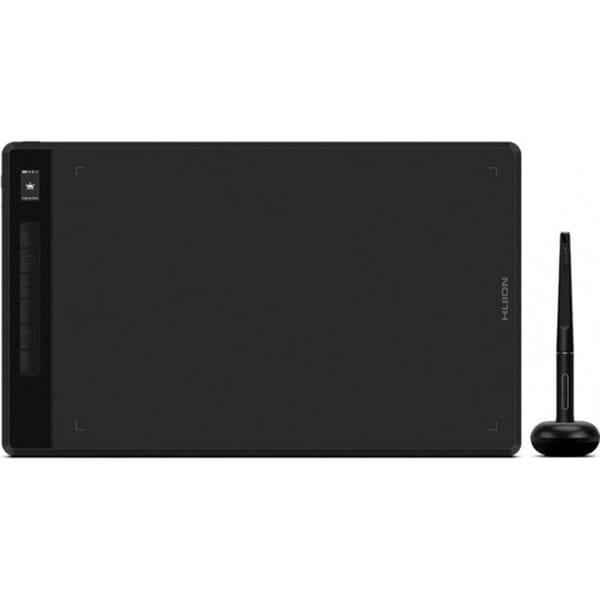
5. Huion Inspiroy Giano
Huion Inspiroy Giano stands out with its large active area, which is especially convenient for those playing osu! with low sensitivity. The size allows wide hand movements without going beyond the tablet edges. The surface responds stably, with quick feedback and good pen sensitivity. The device supports both USB and Bluetooth connectivity, providing setup flexibility.
The body has 6 customizable keys, but in osu! they are rarely used — they can be disabled if desired. The tablet is thin but quite long, so it's best to plan how it will sit on the desk in advance. Otherwise, it's a reliable model for those wanting maximum space and stable performance even in long and complex maps.
Key Points:
Enlarged active area for low sensitivity
High response speed without skips
Bluetooth and USB Type-C support
Battery-free pen with good sensitivity
Suitable for wide movements in osu!
Specifications:
Active area: 345 × 215 mm
Pressure levels: 8192
Tilt support: 60°
Connectivity: USB Type-C
Conclusion
Choosing a graphics tablet for osu! in 2026 is not just about finding good response or the right size, but understanding how it will feel in your hand. Some prioritize minimal latency, others the lightweight body; some play only on small areas, while others are used to sweeping across the entire surface. All tablets on the list handle the task, but they feel different — and that's normal.
Some stay loyal to compact Wacom models, others switch to pen displays with anti-glare, and beginners often pick something like Parblo and are surprised how sufficient it is for accurate play. The main thing is that the tablet doesn't distract or hinder playing the way that's comfortable for you. Then it doesn't matter if you have an A640 or a Kamvas — if you're hitting the notes, you chose correctly.